What AI Email Filtering Is
AI email filtering uses machine learning and related technologies to assess incoming messages for security risks before they reach the inbox. Depending on the system, suspicious messages may be blocked, quarantined, or routed away from normal mail.
For most users, this protection is already built into services such as Gmail and Outlook. Dedicated AI email filtering products add another security layer, typically for organizations that need centralized controls, monitoring, or protection across many accounts.
📌 Note: AI email filtering, as a security function, is focused on stopping threats. That’s a different problem from inbox organization, where the goal is sorting newsletters, promotions, and notifications into tidy categories so you can focus on what matters.

How AI Email Filtering Detects Threats
AI email filtering systems can evaluate multiple signals at once, including message patterns, language, sender behavior, authentication data, and unusual activity. Machine learning helps them identify suspicious combinations that simpler rules may miss.
The exact techniques vary between providers and security platforms. For users deciding whether they need a dedicated filtering product, the more important question is what additional protection and control it provides beyond the security already built into their email service.
What Problems AI Email Filtering Is Designed to Solve
Email is still the most common entry point for cyberattacks. When the FBI’s Internet Crime Complaint Center reported over $16 billion in losses from internet crime in 2024, phishing and spoofing topped the list by complaint volume at 193,407 reports.
During a phishing/spoofing attack, the goal is to trick you into clicking a malicious link, entering credentials on a fake login page, or downloading a compromised file. Around 3.4 billion phishing emails are sent every day, and with AI-generated content making lures more convincing than ever, spotting them manually has become unreliable.
Other problems AI email filtering is designed to solve include malware delivery (roughly 94% of malware reaches its target through email), account compromise that follows successful credential theft, and social engineering scams like business email compromise (BEC), which cost organizations $2.77 billion in 2024, according to FBI data.
📌 In general, AI filtering is one of the few defenses that can catch social engineering attempts because it looks at context and behavior rather than just scanning for known malicious content.
But filtering alone leaves a gap. A cluttered inbox with thousands of unread messages makes it easier to miss suspicious emails that do get through, and years of stored messages give attackers more to work with if they do compromise your account. That’s why pairing security filtering with a good inbox management tool matters more than most people realize.
Built-In AI Filtering vs Dedicated Email Security Tools
Major email providers already use machine learning as part of their standard defenses, so most users benefit from AI-based threat detection without installing anything.
The real decision is whether you need an additional filtering layer beyond your provider’s built-in protection.
| Built-in provider filtering | Dedicated security filtering | |
|---|---|---|
| Who it’s for | Individual users and typical small teams | Organizations with broader security requirements |
| Where it runs | Within the email provider | Additional layer around organizational email |
| Management | Mostly automatic | Centrally managed policies and controls |
| Main advantage | Strong protection with no separate setup | More organizational visibility and control |
| Complexity | Low | Higher |
| Typical need | Everyday email security | Compliance, security operations, and targeted threat protection |
Dedicated platforms can provide additional controls and visibility, but that doesn’t automatically make them necessary for every mailbox. Their value becomes clearer when an organization needs to manage security across many users, enforce policies, investigate incidents, or meet specific compliance requirements.
For an individual mailbox, adding another enterprise-grade filtering layer often produces diminishing returns while introducing additional cost and administration.
Why Most Personal Users Don’t Need Enterprise AI Filtering
If you use Gmail, Outlook, or Yahoo for personal email, you already have AI filtering working for you. Gmail alone blocks nearly 15 billion unwanted emails per day and claims to stop over 99.9% of spam, phishing, and malware. Microsoft screens roughly 5 billion emails daily through Defender.
Enterprise email security platforms like Proofpoint, Abnormal Security, and Mimecast exist to solve a different set of problems. They offer features like HIPAA and SOX compliance monitoring, multi-tenant management consoles, SIEM/SOAR integrations, and incident response workflows designed for security teams managing hundreds or thousands of mailboxes.
⚠️ None of that is relevant if you’re a freelancer, a five-person startup, or someone managing a personal inbox.
The cost alone makes the mismatch obvious. Enterprise tools typically run $2 to $6 per user per month, and that’s before the operational overhead of configuring policies, tuning detection thresholds, and reviewing quarantined messages.
For most individuals, the highest-impact email security actions include enabling multi-factor authentication, using unique passwords with a password manager, keeping software updated, and maintaining a clean inbox so that the few threats that do get through are easier to spot.
Common Misunderstanding: AI Filtering vs Inbox Management
A lot of people assume that because their email provider filters spam, their inbox should feel organized. It won’t. AI filtering and inbox management solve completely different problems:
- Filtering decides whether a message is dangerous. It catches phishing, blocks malware, and quarantines suspicious senders.
- Inbox management deals with everything that’s legitimate but unwanted, such as old newsletters, promotional emails, automated notifications, and the thousands of unread messages piling up over time.
That distinction matters for security too. When your inbox contains hundreds of emails daily and most of them are graymail you never asked for (or forgot you signed up for), the few messages that actually need your attention get buried. That fatigue is exactly what makes phishing more effective.
AI filters can’t fix this because they’re not designed to. Graymail comes from legitimate senders with valid authentication and working unsubscribe links. There’s nothing for a security filter to flag.
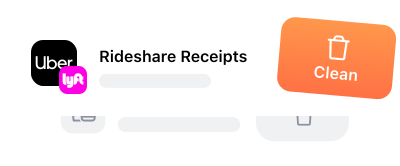
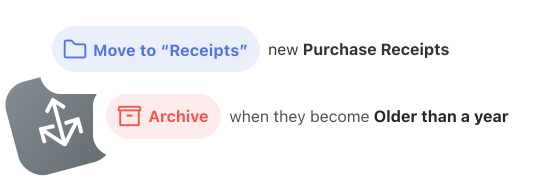
Fortunately, there are inbox management tools that fill the gap nicely. An app like Clean Email can help you manage email overload by bulk-cleaning old messages, automating routine organization, and unsubscribing from unwanted senders.
Reducing Inbox Risk by Reducing Inbox Volume
Inbox organization isn’t just about tidiness. Every email sitting in your inbox is a potential liability. If an attacker compromises your account, they can search through years of stored messages for password resets, financial records, and confidential conversations. The more you keep, the bigger the blast radius.
This is where a tool like Clean Email can help:
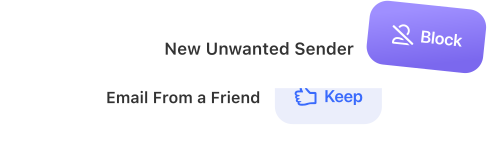
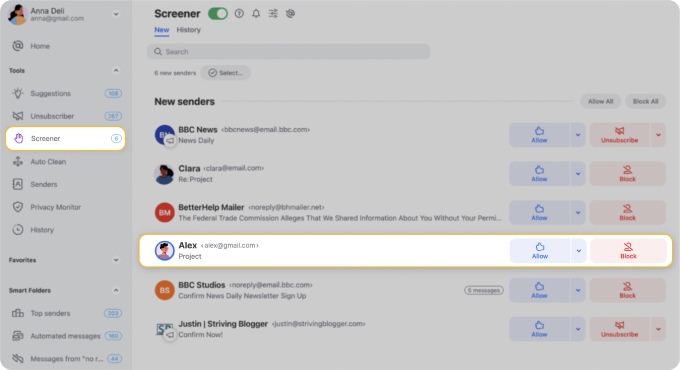
Its Screener holds messages from unknown senders outside your inbox until you manually approve or block them. This way, it adds a human review layer that AI filters don’t provide.
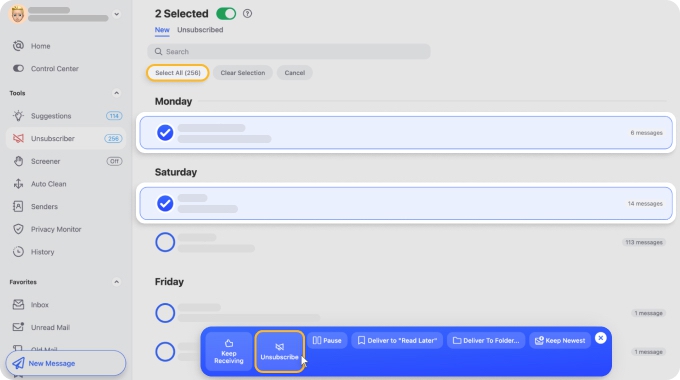
The Unsubscriber cuts down graymail by removing you from mailing lists in bulk.
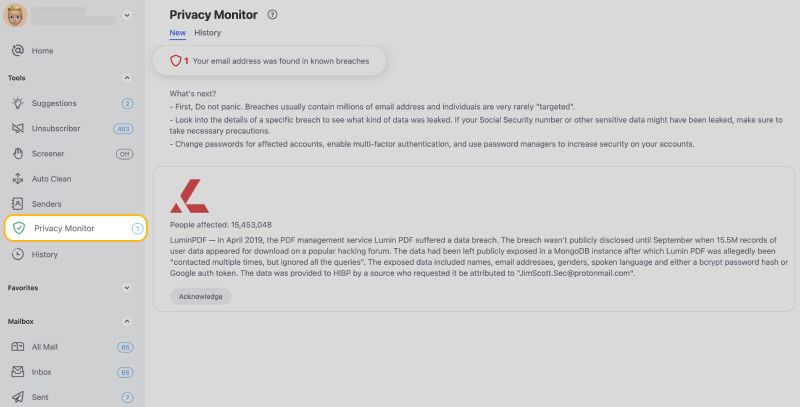
Privacy Monitor checks your email address against known data breaches so you know when your credentials may have been exposed.
Unlike many AI-based tools that scan full message content, Clean Email only processes email headers and metadata. Message bodies are never downloaded or analyzed, which makes it a reasonable option for anyone handling sensitive correspondence who wants to declutter their email without trading privacy for convenience.
Clean Email is available as a web app, a macOS app, and dedicated apps for iOS and Android.
Conclusion
There’s a good chance that AI email filtering is already protecting you because all major mail providers have it built in. Where most people actually fall short is inbox organization because that’s something AI filters are not designed to handle. A tool like Clean Email can help with that side of the equation by screening unknown senders, cutting graymail, and helping you achieve inbox zero without the manual grind.
Related articles:
- AI‑Powered Spam Filters: Gmail, Machine Learning & What’s Next
- How to Mark Emails as Spam in Gmail