Clean Email and Inbox Zapper Comparison
📌 Author's Note: I've thoroughly tested every feature of both Inbox Zapper and Clean Email described in this review. All screenshots, pricing details, and functionality assessments are based on my hands-on experience with both apps, updated for 2026. The Clean Email team has reviewed this comparison for technical accuracy so that you can make an informed decision based on reliable information. Third-party pricing can change, so check the Inbox Zapper website for the latest figures before you subscribe.
Before we begin, here's a quick overview of how these two inbox management tools stack up. This table highlights the key differences that matter most when you're deciding between Inbox Zapper and Clean Email as its potential alternative.
| Feature |  Clean Email |  Inbox Zapper |
|---|---|---|
| Free trial | Manage up to 1,000 emails, unsubscribe from 25 subscriptions | Limited free trial, then a paid plan is required |
| Pricing | From $9.99/month or $29.99/year, plus a free tier (see plans) | Basic $20/month (10 unsubscribes + 50 bulk deletions), or Unlimited $39.99/year (~$3.33/month, billed annually) |
| Email providers | Gmail, Outlook, Yahoo, iCloud, AOL, and any IMAP service | Gmail, Outlook, Hotmail, Live, Copilot |
| Multiple accounts | ✅ Yes (all versions) | ✅ Yes (paid plans only) |
| Interface languages | English, Spanish, French, German, Japanese, Ukrainian | English only |
| Platforms | Web, macOS, iOS, Android | Web, iOS |
| True unsubscribe | ✅ Yes (sends actual unsubscribe requests) | ❌ No (creates Gmail filters) |
| Automation | ✅ Extensive rule-based automation | ❌ No automation features |
| Smart categorization | ✅ Smart Folders | ❌ No pre-defined categories |
| Action history | Complete log with undo capability | Limited review of blocked senders |
The most significant difference between Inbox Zapper and Clean Email is how they handle unsubscribing. While many best unsubscribe apps send genuine removal requests to mailing lists, in my hands-on testing Inbox Zapper didn't technically unsubscribe me at all (more on that below).
The other thing to know is provider coverage. Inbox Zapper began as a Gmail-only tool, and it still markets itself first and foremost as a "Gmail unsubscribe tool," but it now also connects to Microsoft-family accounts (Outlook, Hotmail, Live). What it still doesn't cover is Yahoo, iCloud, AOL, or arbitrary IMAP accounts, and there are no macOS or Android apps, so if your email lives outside Gmail and Microsoft you'll need a different tool.
Even if you are a Gmail user, you'll quickly discover that Inbox Zapper's capabilities end at basic subscription management. Users whose goal is to achieve and maintain a clean inbox will soon hit the limits of what Inbox Zapper can actually do, and this is where the comprehensive nature of Clean Email really makes a difference.
⭐ Quick verdict: Inbox Zapper is a real, actively maintained app (4.6★ on the App Store) that's fine for quickly hiding subscription clutter in Gmail and, more recently, Microsoft accounts. But it doesn't truly unsubscribe you, has no automation, offers no Yahoo/iCloud/IMAP support or desktop and Android apps, and its cheapest plan comes with monthly caps. If you want all-in-one, multi-provider inbox management that genuinely unsubscribes you and works on any device, Clean Email is the stronger Inbox Zapper alternative.
I want to unsubscribe from emails
❌ Inbox Zapper: When you click "Unsubscribe" in Inbox Zapper for Gmail, the app doesn't actually send an unsubscribe request to the sender. Instead, in my testing it creates a Gmail filter that automatically moves future emails from that sender straight to your Trash folder. That's true even though the app markets a "one-click unsubscribe," so it's worth understanding what actually happens under the hood.

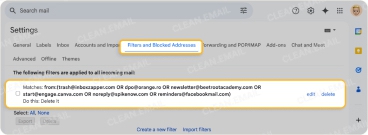
As a result of Inbox Zapper's approach, unwanted subscription messages keep arriving in your inbox (you just don't see them). While that may not seem like a problem since they end up in the Trash folder, it actually is because your storage space still gets consumed until you empty your Trash or until it's emptied automatically. That delay could result in you running out of available storage space and, consequently, not being able to receive new messages.
You're also limited to unsubscribing from one sender at a time, with each action requiring a confirmation dialog. This becomes tedious when you're dealing with dozens of unwanted subscriptions.
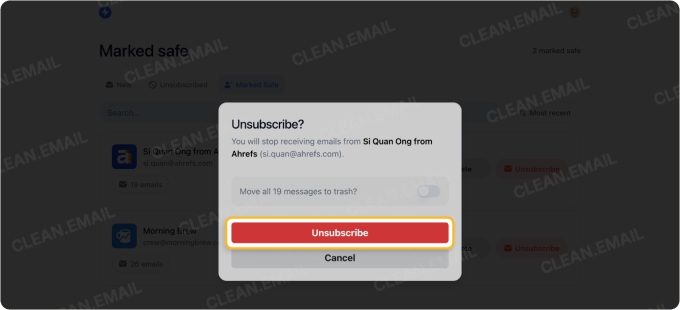
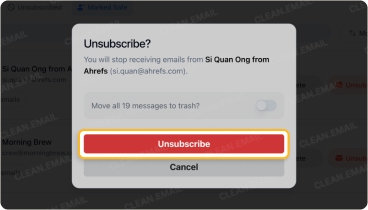
✅ Clean Email: When I tested Clean Email's Unsubscriber feature, it actually sends proper unsubscribe requests to mailing lists, which is the same way automatically unsubscribing from emails should work.
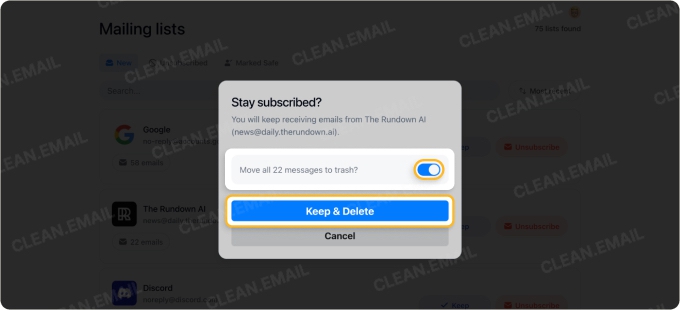
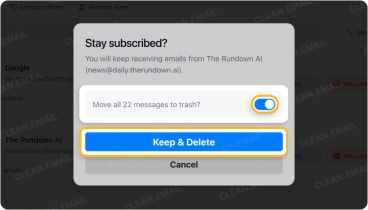
Best of all, the process could hardly be any more straightforward. You just need to click Unsubscribe, and Clean Email immediately sends an unsubscribe request to the sender. You also get to choose whether to delete existing messages from that sender or keep them. If you want to, you can even unsubscribe from multiple subscriptions in one go and potentially save hours of your valuable time.
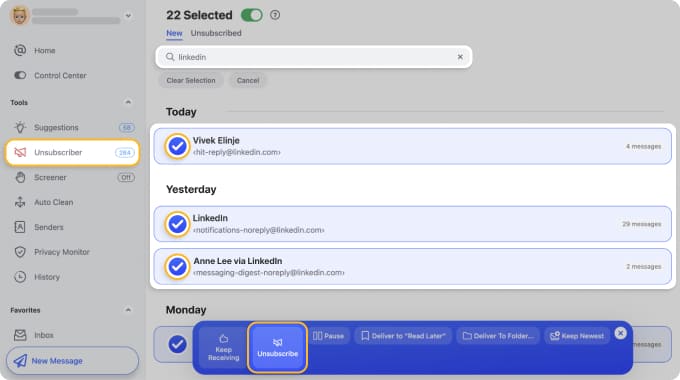
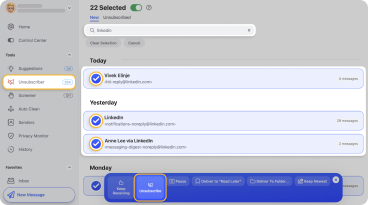
If a sender ignores your unsubscribe request (which happens more often than you'd think and is the reason why people often get more messages when they unsubscribe from emails), Clean Email automatically creates a rule to route their future messages to Trash, giving you the best of both worlds (a real unsubscribe attempt plus a safety net in case it's not enough).
I want to clean up unwanted emails in bulk
🤔 Inbox Zapper: The app limits you to managing only the messages it identifies as subscriptions. You can't view or organize your entire inbox through the app. If you want to delete emails from a specific sender, you must delete every single message from them.
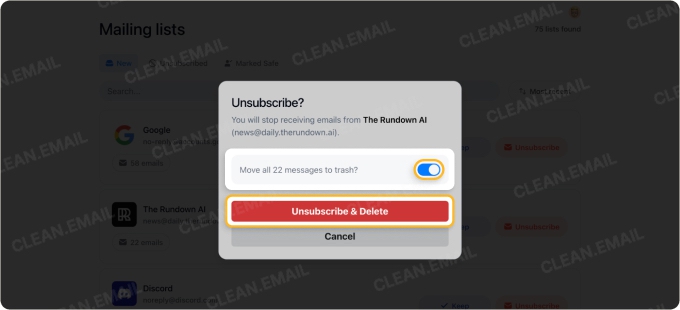
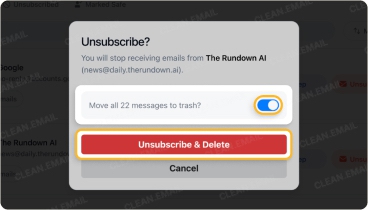
You can clean up unwanted messages without unsubscribing, while you're unsubscribing, or once you've unsubscribed. The flexibility is useful since different approaches work for different users in different situations.
Unfortunately, there's no way to filter by age, size, or any other criteria. For example, I wanted to delete old promotional emails from a store while keeping recent order confirmations. Inbox Zapper couldn't do this. It was either delete everything from that sender or keep everything.
What made this even more concerning during my testing is that Inbox Zapper doesn't offer an undo option. Once you delete messages, they're gone to your Gmail Trash with no way to reverse the action within the app. This created real anxiety when I was deciding whether to delete large batches of emails.
✅ Clean Email: My experience cleaning up emails with Clean Email was much better. Just like other comprehensive Inbox Zapper alternatives like AgainstData, the app provides multiple approaches to tackle inbox clutter.
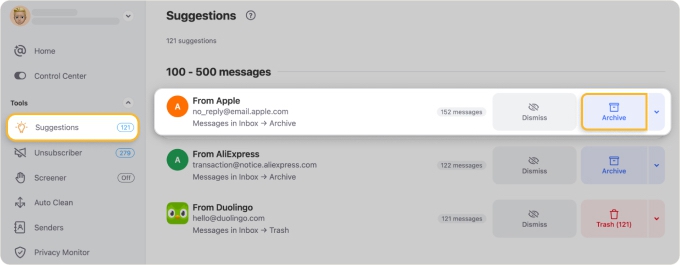
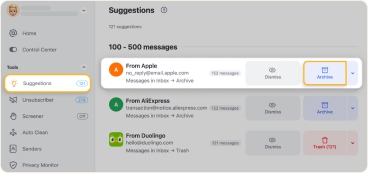
Cleaning Suggestions recommended which types of messages I might want to remove based on patterns from both my behavior and how other users typically handle similar emails.
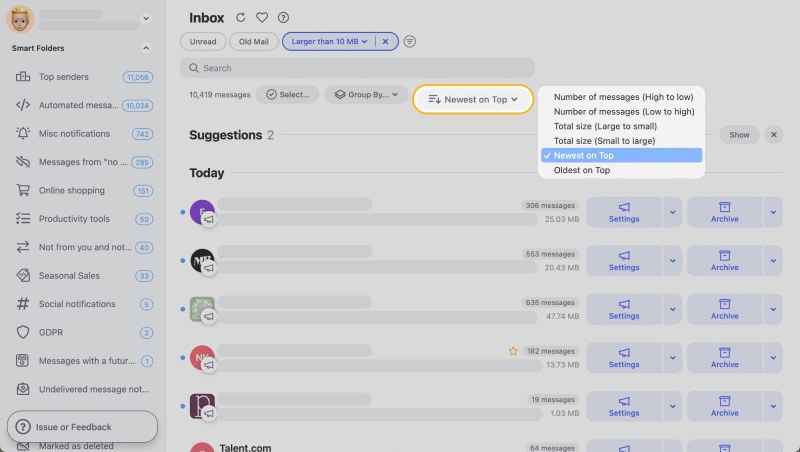
The Smart Folders feature automatically sorted my messages into many different categories. Clean Email even let me create complex filters with a few simple clicks. I could delete all newsletters older than 30 days while keeping recent ones, remove emails above a certain size to free up storage, or clear out unread promotional messages that I'd been ignoring for months.
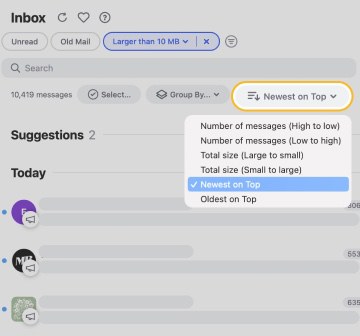
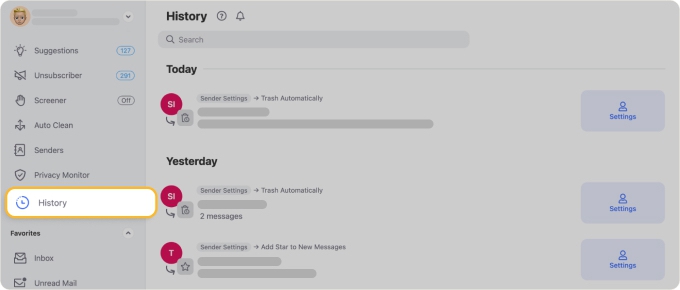
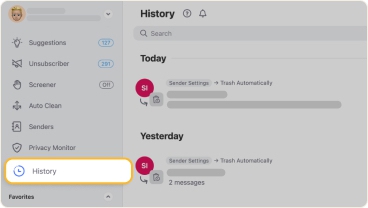
Every action in Clean Email gets recorded in the Action History log, and many can be undone if you change your mind, which made me feel confident enough to experiment with different cleanup strategies without worrying about permanently losing something important.
I want to clean up my inbox for free
🤔 Inbox Zapper: is Inbox Zapper free? Only up to a point. Inbox Zapper lets you try it out, but a full cleanup quickly runs into limits. Its cheapest paid tier ($20/month) caps you at roughly 10 unsubscribes and 50 bulk deletions, and truly unlimited use costs $39.99/year — about $3.33/month, but only if you commit to a full year. In other words, "free" is really a short trial, and clearing a genuinely cluttered inbox effectively requires paying.
🤔 Clean Email: Clean Email also has limits on its free tier, but they're more generous and don't meter every single action. You can manage up to 1,000 messages and unsubscribe from 25 subscriptions without paying, and there's a 14-day trial of all premium features. That's usually enough to make a real dent in a cluttered inbox and see whether the automation features fit your workflow before you decide, and pricing starts at $9.99/month or $29.99/year if you upgrade.
I want to automate routine email tasks
❌ Inbox Zapper: The app offers absolutely no automation capabilities whatsoever. Every single action (blocking a sender, deleting emails, or marking subscriptions as safe) must be performed manually each time. During my research, I checked multiple Inbox Zapper reviews to see if I was missing something, but I wasn't.
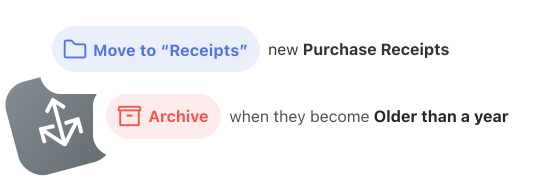
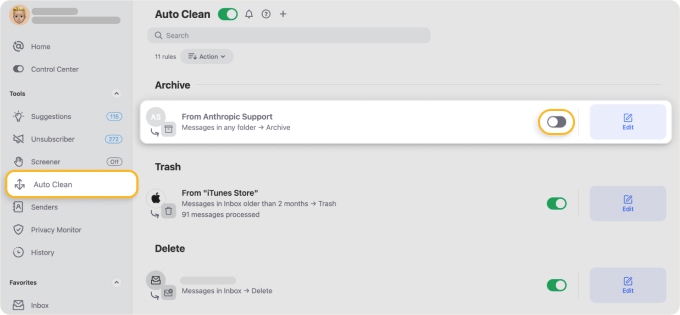
✅ Clean Email: Clean Email's Auto Clean feature lets me create sophisticated rules that automatically process incoming messages based on virtually any criteria I can think of, such as sender, domain, subject line, age, size, and more.
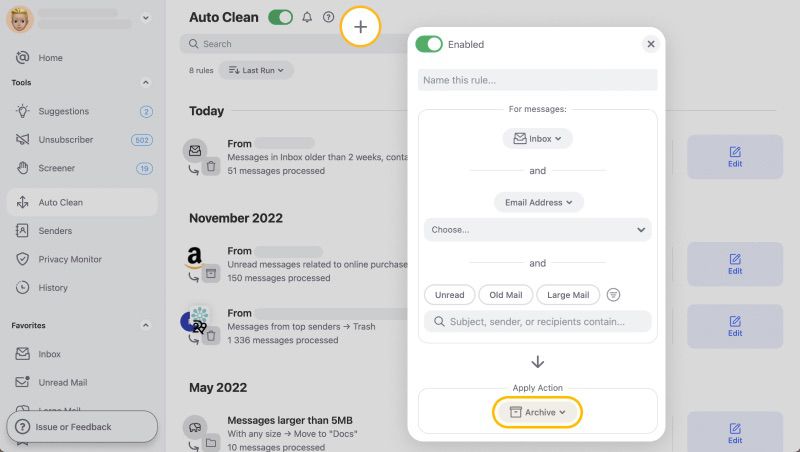
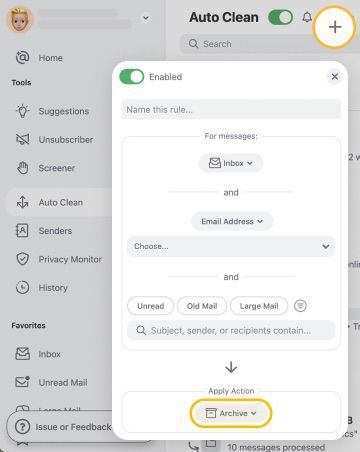
Your Auto Clean rules are conveniently displayed in the automation dashboard, where you can pause or delete them as you want. Every automated action gets logged in the Action History, so you can always verify what happened and when. This level of automation makes Clean Email more comparable to comprehensive solutions like the Sortd app.
I want to manage multiple email accounts across different providers
🤔 Inbox Zapper: Inbox Zapper started life as a Gmail-only tool and has since added support for Microsoft-family accounts (Outlook, Hotmail, Live). That's an improvement, but if you have email with Yahoo, iCloud, AOL, or any other IMAP provider, you're still out of luck, and there are no macOS or Android apps to manage those accounts on every device.

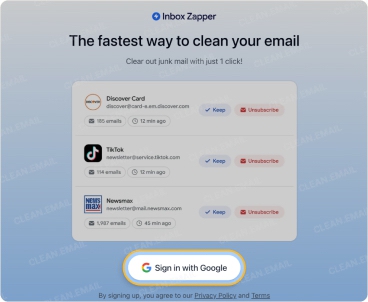
Managing several accounts also requires a paid plan, since the free trial is limited. As a result, you'd need separate tools for each unsupported provider if you're trying to delete your digital footprint across multiple services, and that can get expensive quickly.
✅ Clean Email: The app supports Gmail, Outlook, Yahoo, iCloud, AOL, and any email service using the IMAP protocol. I've personally tested it with four different accounts (two Gmail addresses, one Outlook account, and a Yahoo account), and it worked flawlessly every single time.
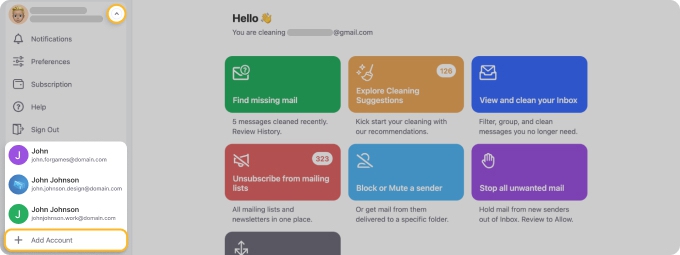
The multi-account support comes standard with all Clean Email plans, including the free trial. You can manage up to 10 email accounts without needing to upgrade, which makes it far more accessible than competitors that lock this basic functionality behind paywalls.
What Is Inbox Zapper?
Inbox Zapper is an email management tool, available as a web app and a companion iOS app, designed to help you reduce subscription clutter. It began as a Gmail-only "unsubscribe tool" and now also connects to Microsoft accounts (Outlook, Hotmail, Live). Under the hood, it works by creating filters that route unwanted emails directly to your Trash folder, which (at least on the surface) achieves a similar goal to real unsubscribing.
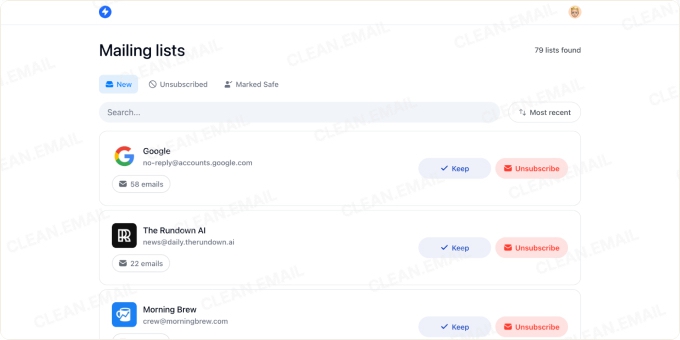
Inbox Zapper's paid tiers include a Basic plan at $20/month, which caps you at around 10 unsubscribes and 50 bulk deletions, and an Unlimited plan at $39.99/year — that's about $3.33/month, but only if you pay for a full year upfront. As you can see, the difference between the monthly entry price and the annual unlimited price is large, so it's clear the developers prefer customers to make long-term commitments. Pricing can change, so verify the current figures on the Inbox Zapper website.
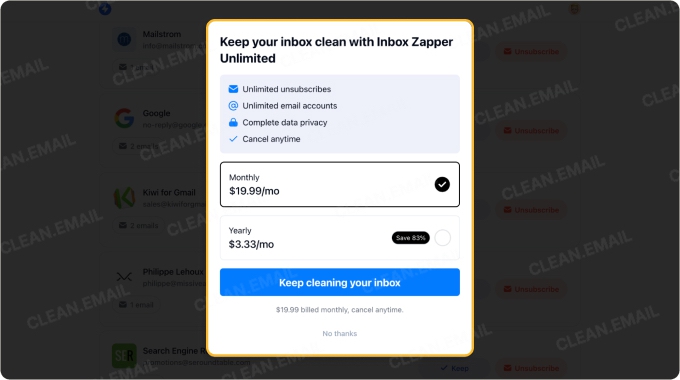

💡 Is Inbox Zapper legit and safe? Yes — it's a real, working app. Inbox Zapper is an actively maintained email cleaner with a companion iOS app that holds a 4.6★ rating on the App Store. It uses Google's official OAuth sign-in (so it never sees your password), states that it encrypts your data, and says it doesn't sell it to third parties. The main things to weigh are track record and scope: the service is relatively new (its website launched in 2024), and, like any inbox cleaner, it needs broad mailbox access to unsubscribe and delete on your behalf. If a long, independently audited track record matters to you, an established alternative like Clean Email — trusted by 1.5M+ users, rated 4.7/5 on Trustpilot, Google-verified, and regularly security-audited — is worth a look.
Key features
- "Unsubscribe" functionality: Inbox Zapper creates filters that automatically send future emails from selected senders to your Trash folder. While this isn't true unsubscribing, it does hide unwanted messages from your inbox view, and your provider will eventually remove them from the Trash folder.
- Bulk deletion: You can delete all existing emails from specific senders with a single action, though you must delete everything from that sender (there's no option to keep some messages while removing others).
Disadvantages of Inbox Zapper
- No true unsubscribing: Unlike apps that stop unwanted emails in Gmail by sending actual removal requests, Inbox Zapper only hides messages using filters.
- Limited provider and platform coverage: Inbox Zapper works with Gmail and Microsoft accounts (Outlook, Hotmail, Live) but not Yahoo, iCloud, AOL, or arbitrary IMAP accounts, and it offers only web and iOS apps (no macOS or Android).
- No automation features: Every action must be performed manually since there's no way to create rules that automatically process incoming messages based on your criteria.
- Free use is limited: While many people ask if Inbox Zapper is free, the answer is "only briefly." A real cleanup quickly runs into the trial's limits, and the cheapest paid tier caps how many unsubscribes and deletions you can perform.
- All-or-nothing deletion: You can't selectively delete old emails while keeping recent ones from the same sender. You can either delete everything or keep everything.
- No undo capability: Once you delete messages through Inbox Zapper, there's no way to reverse the action within the app.
- Missing advanced features: There are no Smart Folders for automatic categorization, no action history to review past decisions, and no ability to resubscribe to emails you've blocked without manually deleting filters.
What Is Clean Email?
Clean Email is a comprehensive inbox management solution and the best Inbox Zapper alternative. It works across all major email providers (Gmail, Outlook, Yahoo, iCloud, AOL, and any IMAP-compatible email service) and devices. Clean Email sends real unsubscribe requests to mailing lists while also providing powerful tools for organizing, automating, and maintaining a clutter-free inbox.
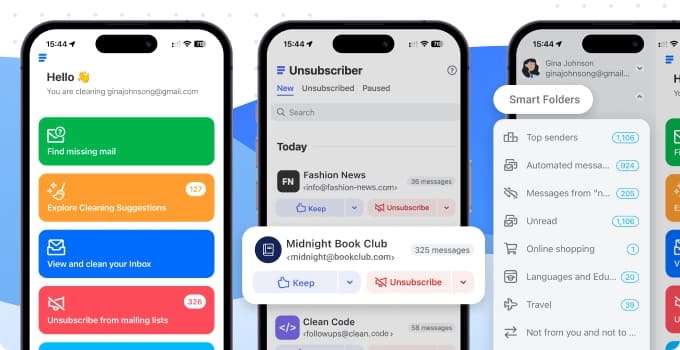
With Clean Email's generous free trial, you can manage up to 1,000 emails and unsubscribe from 25 subscriptions. Multiple subscription tiers are available to fit different needs and budgets (starting at $9.99/month or $29.99/year), with options for both monthly and annual billing.
📌 Is Clean Email safe and legit? Yes. Clean Email prioritizes security by only accessing email headers and metadata, never the content of your messages. It never sells or shares user data with third parties, the service is certified by Google, and it undergoes regular independent security audits.
Key features
- Unsubscriber: Clean Email's signature feature sends genuine unsubscribe requests to mailing lists and follows up by blocking future messages if senders don't comply. You can unsubscribe from multiple subscriptions simultaneously, choose whether to delete existing messages, and even pause subscriptions temporarily.
- Cleaning Suggestions: This feature analyzes your email patterns and provides personalized recommendations for which messages to remove based on your behavior and how other users handle similar emails.
- Smart Folders: Clean Email automatically categorizes your messages into more than thirty pre-defined folders like Social Notifications, Online Shopping, Finance and Insurance, Travel, and more.
- Auto Clean: With this feature, you can create sophisticated automation rules that process incoming messages based on sender, domain, subject line, age, size, and other criteria.
- Screener: Enable this feature to quarantine messages from unknown senders before they reach your inbox. You can then approve or block new contacts with a single click.
Why Clean Email is More Powerful?
- Full unsubscribing: Clean Email sends actual removal requests to mailing lists so that senders truly stop emailing you rather than just hiding their messages with filters.
- Automatic categorization: Emails are automatically sorted into Smart Folders that function as intelligent labels.
- Wide automation for routine email tasks: The Auto Clean feature lets you set up any rule imaginable, and it will be performed automatically on incoming messages.
- Quarantine emails from new senders: The Screener feature intercepts messages from unknown contacts and holds them for your review, giving you complete control over who can reach your inbox.
- Broader provider and device support: Clean Email works with Gmail, Outlook, Yahoo, iCloud, AOL, and any IMAP account. You can try the Clean Email app on the web, macOS, iOS, and Android, going well beyond Inbox Zapper's Gmail-and-Microsoft, web-and-iOS coverage.
- Action History: All automated or manual actions are recorded in a comprehensive log that lets you verify what happened and when. If you accidentally set up a rule that moved important messages, you can locate them through the History and often undo.
📌 Switch from Inbox Zapper — works beyond Gmail, and truly unsubscribes you. Clean Email works with Gmail, Outlook, Yahoo, iCloud, AOL, and any IMAP account; manages up to 1,000 emails for free; includes 25 free unsubscribes; and adds a 14-day full premium trial across web, macOS, iOS, and Android.
🛡️ Trusted by 1.5M+ users. Clean Email holds 4.7/5 on Trustpilot and thousands of verified reviews across G2, Capterra, the App Store, and Google Play, so you're not trading Inbox Zapper's simplicity for an unproven tool.
Summary
Looking for the best Inbox Zapper alternative was a lot of fun, and I'm very happy to have found one that's objectively an excellent choice for most users. Of course, your final decision should always be guided by your specific needs:
➡️ Choose Inbox Zapper if you use Gmail (or a Microsoft account), want the absolute simplest solution possible (even if it doesn't truly unsubscribe you), and don't mind the lack of automation, the limited free use, or the missing Yahoo/iCloud/IMAP and desktop/Android support. If you only need to hide a handful of subscription senders from view, it can accomplish that basic task.
➡️ Choose Clean Email if you want a comprehensive solution that actually unsubscribes you from mailing lists, works across all email providers (not just Gmail and Microsoft), and gives you powerful organization and automation tools. Clean Email is the better choice if you need to mass unsubscribe from emails while maintaining control over your entire inbox ecosystem.
Related Posts:
FAQs
What is Inbox Zapper and how does it work?
Inbox Zapper is an email management tool, available as a web app and an iOS app, that helps you reduce subscription clutter in Gmail and Microsoft accounts (Outlook, Hotmail, Live). When you "unsubscribe," it creates a filter that sends future messages from that sender to Trash rather than sending a genuine unsubscribe request to the mailing list.
Is Inbox Zapper legit?
Yes. Inbox Zapper is a real, actively maintained app with a companion iOS app rated around 4.6★ on the App Store. It's a relatively new service (its website launched in 2024), so it has a shorter track record than long-established email tools.
Is Inbox Zapper safe to use?
Inbox Zapper signs you in with Google's official OAuth (so it never sees your password), states that it encrypts your data, and says it doesn't sell it to third parties. Like any inbox cleaner, it needs broad mailbox access to unsubscribe and delete on your behalf, so the main consideration is scope rather than safety. You can revoke its access at any time from your email account's security settings.
Is Inbox Zapper free?
Not really. Inbox Zapper lets you try it, but a real cleanup quickly runs into the trial's limits.
How much does Inbox Zapper cost?
Inbox Zapper offers a Basic plan at $20/month (capped at about 10 unsubscribes and 50 bulk deletions) and an Unlimited plan at $39.99/year, which works out to about $3.33/month billed annually. Pricing can change, so check the Inbox Zapper website for the current figures before subscribing.
Does Inbox Zapper actually unsubscribe you from emails?
Not in the true sense. In hands-on testing, Inbox Zapper's "unsubscribe" creates a filter that routes future messages from a sender to Trash, but it doesn't send an actual unsubscribe request, so you technically stay on the mailing list and the messages still consume storage. Clean Email's Unsubscriber sends a real unsubscribe request and blocks future messages if the sender ignores it.
Does Inbox Zapper work with Outlook, Yahoo, or on mobile?
Inbox Zapper supports Gmail and Microsoft accounts (Outlook, Hotmail, Live) via its web app and an iOS app, but it doesn't support Yahoo, iCloud, AOL, or arbitrary IMAP accounts, and there are no macOS or Android apps.