


Yahoo Email Storage Limits in 2026
By the end of August 2025, storage dropped from 1 TB to 20 GB for free Yahoo Mail accounts and from 5 TB to 200 GB for Yahoo Mail Plus accounts.
If you’re interested in additional storage as a free user, you have options for 100 GB and 1 TB plans starting at $1.99 per month. These add-ons provide the same features as a free account.
As an alternative, the Yahoo Mail Plus storage limit is 200 GB. By subscribing, you’ll receive the extra storage along with useful features like automatic email forwarding and an ad-free experience.
So, does Yahoo Mail have a storage limit for all users? Yes, the current maximum limit for any Yahoo Mail account is 1.2 TB. You can get this by subscribing to both Yahoo Mail Plus and the 1 TB add-on.
| Yahoo Mail Free (20 GB) | 100 GB | 1 TB | Yahoo Mail Plus (200 GB) | 1.2 TB Setup | |
|---|---|---|---|---|---|
| Price | Free | $1.99/mo | $9.99/mo | $5/mo | $9.99+$5/mo |
| Add email accounts | ✅ | ✅ | ✅ | ✅ | ✅ |
| Attachments section | ✅ | ✅ | ✅ | ✅ | ✅ |
| One-click unsubscribe | ✅ | ✅ | ✅ | ✅ | ✅ |
| Customized notifications | ✅ | ✅ | ✅ | ✅ | ✅ |
| Ad-free mailbox | ❌ | ❌ | ❌ | ✅ | ✅ |
| Temporary email address | ❌ | ❌ | ❌ | ✅ | ✅ |
| No inactivity expiration | ❌ | ❌ | ❌ | ✅ | ✅ |
| Automatic forwarding | ❌ | ❌ | ❌ | ✅ | ✅ |
| Emails to myself | ❌ | ❌ | ❌ | ✅ | ✅ |
| Deal summary hiding | ❌ | ❌ | ❌ | ✅ | ✅ |
Note that the Yahoo Mail free storage limit for UK residents is 15 GB as of May 5, 2026. US and Canadian accounts remain at 20 GB.

What Counts Toward Yahoo Mail Storage
When you’re ready to begin cleaning up your Yahoo Mail to regain storage space, it’s good to know what counts toward the Yahoo storage limit.
- Inbox (including category tabs)
- Sent emails
- Trash (automatically deleted after 7 days)
- Spam (automatically deleted after 30 days)
- All other folder contents including emails and attachments
If you use the Yahoo Mail mobile app, the app cache is separate and does not count toward your available mailbox storage.
How to Check Yahoo Mail Storage
With the Yahoo Mail storage limit change, it’s more important than ever to keep an eye on your available space. You can check this in both the web application and mobile app on Android and iPhone.
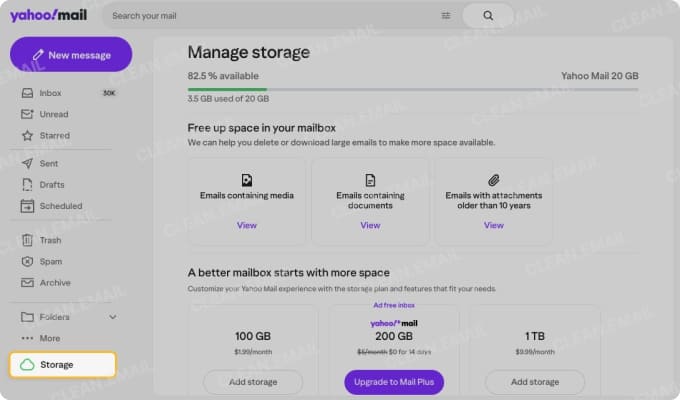
- On the web, visit Yahoo Mail and sign in.
- Select Storage at the bottom of the left-hand menu.
Note: You can also see a percentage of available storage by hovering your cursor over Storage in the menu.
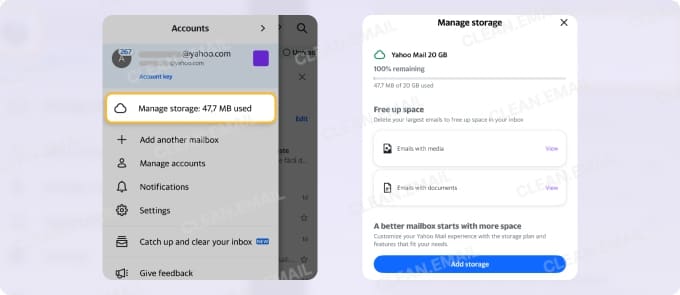
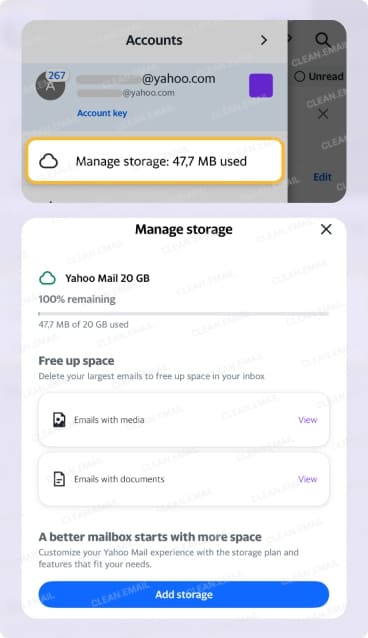
On mobile, open the Yahoo Mail app and tap your profile icon on the top left. At the bottom of the menu (or under your email address), you’ll see the amount of used storage and can tap for additional details.
What Happens When Yahoo Mail Storage Is Full?
When your Yahoo Mail storage is full, you cannot send or receive emails. And unfortunately, any messages you receive when you exceed your limit are not stored or saved, so they can’t be recovered.
While not confirmed, some reports state that you have a 30- to 60-day grace period after receiving the “Yahoo Mail storage full” message to free up space. Because this isn’t a definite marker, you should learn how to manage Yahoo Mail storage as soon as you can.
How to Free Up Yahoo Mail Storage Quickly
The best way to start freeing up Yahoo Mail storage space is by emptying the Spam and Trash folders as well as deleting large emails and attachments. You can use the Yahoo Mail Search and search operators to find outdated messages and the Storage Manager to easily locate emails with media and documents.
You can also turn to tools like Clean Email that provide features specifically for cleaning up your mailbox.
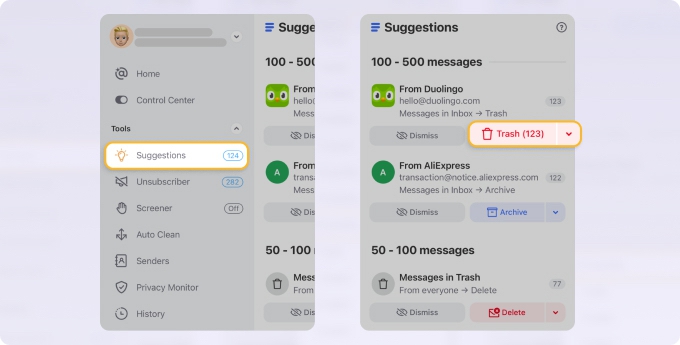
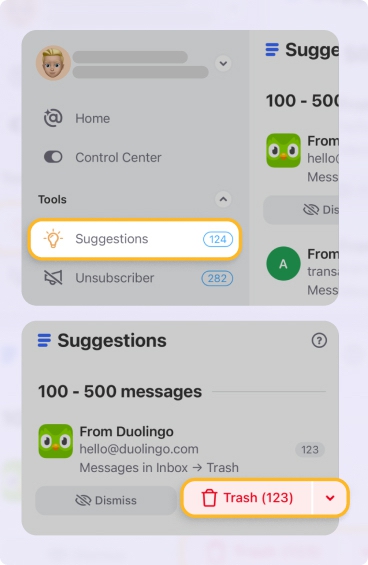
Use Cleaning Suggestions to act on groups of emails simultaneously and Smart Folders to perform bulk deletion by category. → Try it for Free
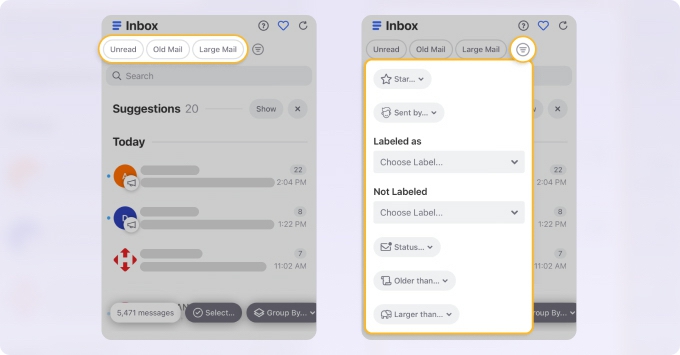
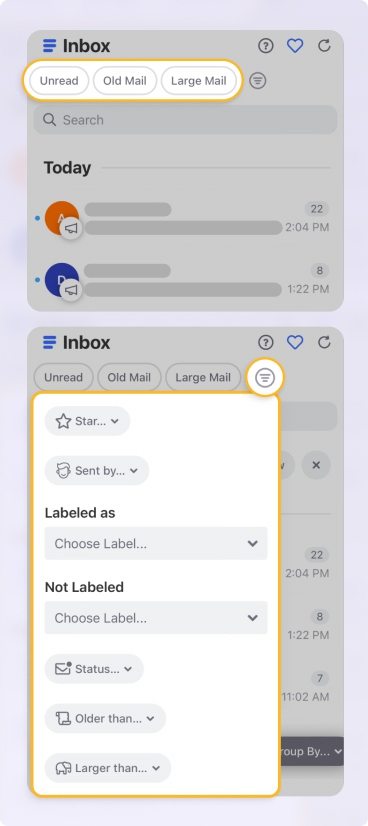
Additionally, you can identify large storage offenders fast as well as group and sort messages by size, date, or sender.
Should You Upgrade Yahoo Mail Storage?
Deciding whether or not to upgrade your Yahoo Mail storage depends on various factors.
Start by considering how you use Yahoo Mail. For instance, if it’s important for work, maintaining archives, or storing large files, then an upgrade likely makes sense if you can afford it.
But if you mainly use Yahoo Mail for personal messages and most of your storage contains junk or outdated emails, you can probably do a solid cleanup and save some money.
To further review your upgrade options, open the menu and select More → Manage Storage or visit https://mail.yahoo.com/subscriptions/mail/storage.
Conclusion
Don’t let the Yahoo Mail storage limit change cause you to panic or lose out on communications. Now that you know what the storage limits are, what counts toward storage, and how to free up space, you can take steps to keep your emails flowing.
And if you need additional help cleaning up your storage and Yahoo Mail inbox, remember that Clean Email is free to try, safe to use, and available on all of your devices.
Learn more about bulk deleting emails in Yahoo and how to organize Yahoo Mail inbox effectively.
FAQ
What is Yahoo Mail’s current free storage limit?
Currently, the Yahoo Mail free storage for users in the US and Canada is 20 GB while those in the UK have 15 GB.
What happens when Yahoo Mail storage is full?
When your storage is full, you cannot send or receive emails.
Are emails lost when Yahoo Mail is full?
When you exceed your storage limit, you won’t receive emails and those messages are not saved or recoverable.
What actually takes up storage space in Yahoo Mail?
All emails and attachments in folders consume your mailbox space. This includes custom folders, Sent, Spam, Trash, and your Inbox.
Is it worth paying to upgrade Yahoo Mail storage?
If Yahoo Mail is crucial to your business, you rely on its archives, or you use it to send and receive large attachments, then you should strongly consider upgrading your storage.
Does Yahoo Mail delete emails when you go over the limit?
No, Yahoo Mail doesn’t automatically delete messages based on your storage limit. However, if you have an inactive account, emails may be deleted after 12 months.












