


What Is Mail.com Email?
Mail.com is a free web-based email service operated by GMX (a subsidiary of United Internet Group). It offers:
- Free email accounts
- Web-based access
- Optional premium upgrades
- Hundreds of domain name options (for example, @engineer.com, @consultant.com)
Functionally, it works like any other major webmail provider.
Is Mail.com a Legitimate Email Service?
Yes—Mail.com is a legitimate email provider.
It has:
- Long-standing infrastructure
- Millions of active users
- Commercial ownership by a major European internet company
Mail.com addresses are accepted by banks, retailers, and government services. There’s nothing inherently “temporary” or disposable about them.

Is a Mail.com Email Address Safe to Use?
Mail.com uses standard security practices:
- HTTPS encryption
- Spam filtering
- Account recovery options
Emails are stored server-side (encrypted at rest), which is typical for webmail providers. There’s no end-to-end encryption by default, due to its architecture.
That’s normal—but worth understanding.
Common Limitations People Notice
Mail.com’s legitimacy doesn’t mean it’s perfect:
- Ads in free accounts
- Limited automation
- Basic inbox management tools
These don’t make it unsafe. They just affect usability.
Improving the Mail.com Experience with Clean Email
Clean Email doesn’t replace Mail.com. It complements it.
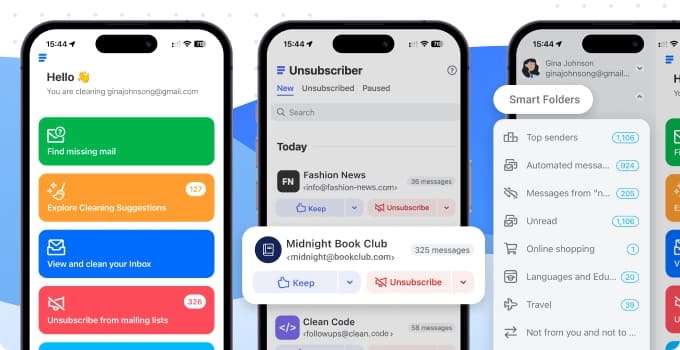

By working with metadata only, Clean Email helps users:
- Reduce inbox overload
- Identify subscription patterns
- Block or manage senders efficiently
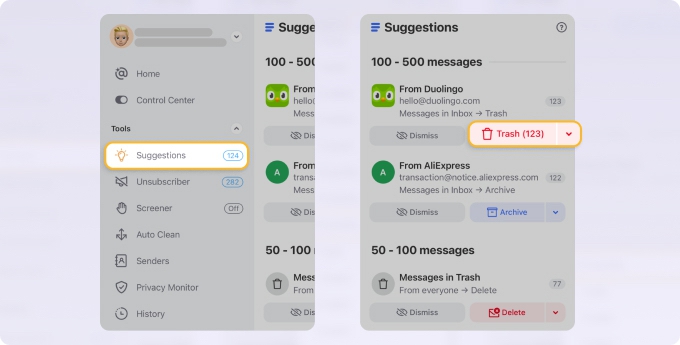
If you plan to use Mail.com long-term, tools like this make the experience more manageable. → Try it for Free
Final Thoughts
Mail.com is legitimate, stable, and safe to use in 2026. Its main drawbacks are usability and scale—not trust. With the right tools layered on top, it can be a perfectly practical email service.












