


Overview of Mail.com
Mail.com offers:
- Free webmail accounts
- Hundreds of custom domains
- POP3/IMAP access
- Optional premium plans
Its core appeal remains customization and flexibility.
Mail.com Free Email Service Features
Free accounts include:
- Web-based inbox
- Basic spam filtering
- Limited storage (exact caps are not clearly disclosed)
- Advertisements
Performance is generally stable, though inbox management tools are basic.

Interface & Productivity
The interface is functional but dated. Bulk actions exist, but they’re shallow:
- No advanced filters
- Limited automation
- Slow large-scale cleanup
This is where many users feel friction over time.
Mail.com Email Service Competitors
Compared to:
- Gmail: better automation, less customization
- Outlook: stronger integrations, heavier interface
- Proton Mail: stronger privacy, fewer features
Mail.com’s differentiator remains domain choice—not productivity.
Using Clean Email with Mail.com
Clean Email fills the productivity gap:
- Bulk cleanup
- Automation rules
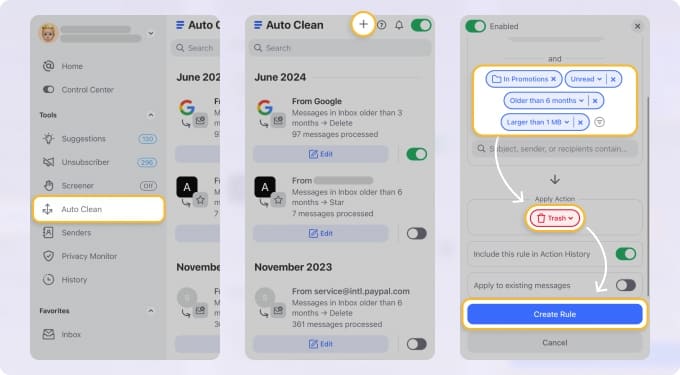
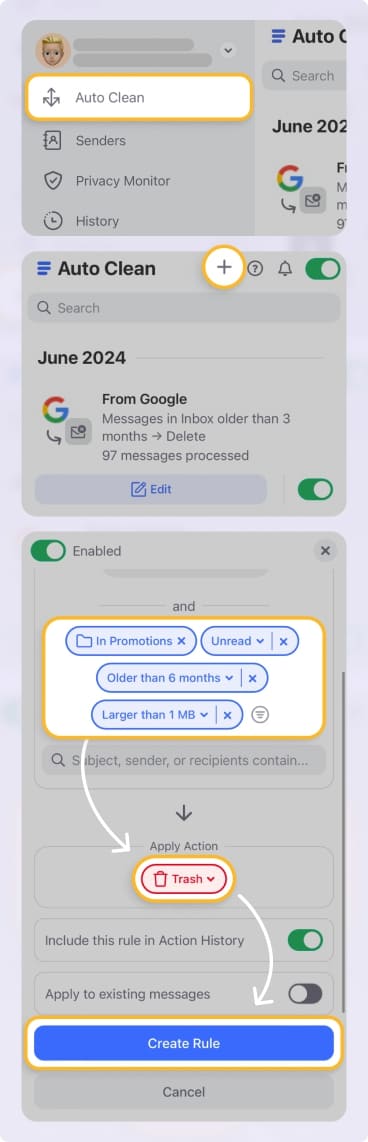
- Sender-level insights
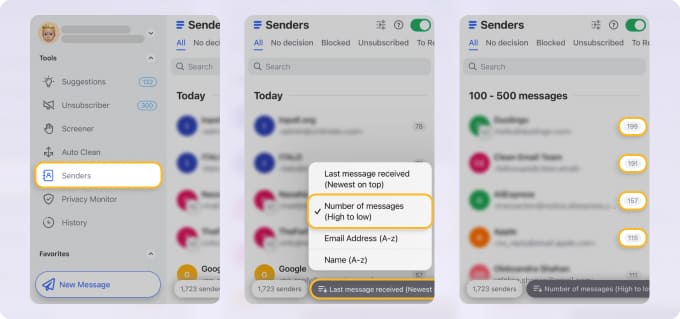
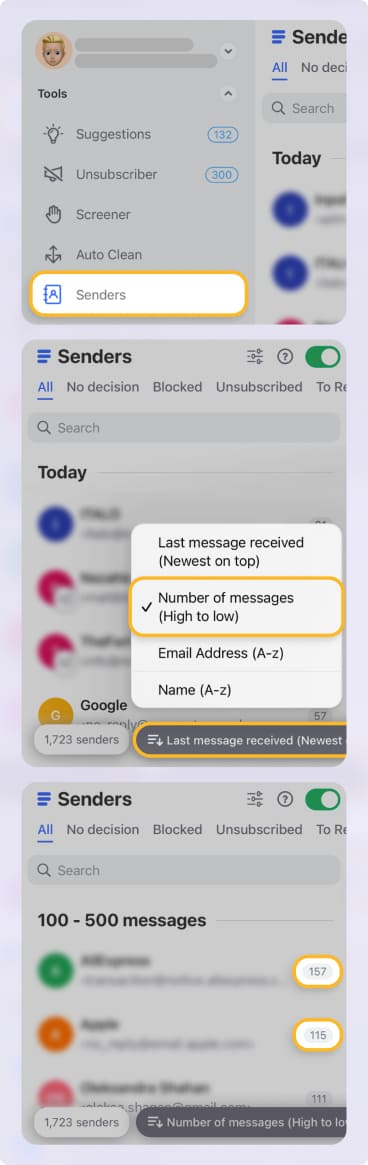
It adds control without forcing a provider switch, which matters for long-term users. → Try it for Free
Pros and Cons
Pros:
✅ Wide domain selection
✅ Stable infrastructure
✅ Familiar webmail experience
Cons:
❌ Limited inbox automation
❌ Ads on free plans
❌ Weak bulk management
Final Verdict
Mail.com is reliable but basic. In 2026, it works best for users who value custom domains and don’t mind adding external tools like Clean Email for serious inbox management.












