


Mail.com Free Email Storage Limit (2026)
Mail.com’s free email plan includes 65 GB of mailbox storage. That number has remained consistent through 2025 and into 2026.
Here’s what counts toward that 65 GB:
- Emails in Inbox, Sent, Spam, and Trash
- Attachments (PDFs, photos, ZIP files, invoices)
- Old archived messages from years back
A single email might seem small, but a few thousand messages with 5–10 MB attachments add up quickly. In testing, I’ve seen accounts from 2018–2020 alone consume over 20 GB just from attachments.
Attachment size limit:
- Maximum attachment size per email: 50 MB

How to Check Your Mail.com Free Email Storage Limit
Mail.com doesn’t hide this, but it’s not front and center either.
To check your storage usage:
- Log in to Mail.com via a desktop browser
- Click Settings
- Go to Mailbox Settings
- Look for Storage Usage or Mailbox Size
You’ll see:
- Total storage used (in GB)
- Remaining free space out of 65 GB
On mobile apps, storage details are often missing or simplified. For accuracy, I always recommend checking on desktop.
Why Mail.com Storage Fills Up Faster Than Expected
That’s because email storage isn’t just about volume—it’s about weight.
Common space hogs:
- Receipts and order confirmations with attachments
- Repeated newsletters with embedded images
- Sent emails with large attachments
- Spam that isn’t auto-deleted
- Trash folders that never get emptied
Mail.com does not automatically purge everything aggressively. Messages can sit quietly for years.
How to Clean Up Mail.com Storage (Without Breaking Your Inbox)
Start With Native Tools (The Basics)
Mail.com lets you:
- Sort by sender
- Search by keyword
- Manually delete folders
- Empty Spam and Trash
This works for small cleanups. But it’s slow if you’re dealing with thousands of messages.
Where Native Cleanup Falls Short
There’s no smart way to:
- Find the largest emails
- Group messages by sender automatically
- Bulk-delete years of newsletters at once
- Set rules that clean continuously
That’s where cleanup becomes tedious.
A Practical Cleanup Upgrade (Without Replacing Mail.com)
This is where tools like Clean Email become genuinely useful. In my testing, it works alongside Mail.com rather than replacing it. → Try it for Free
What stood out:
- It analyzes email metadata only, not message content
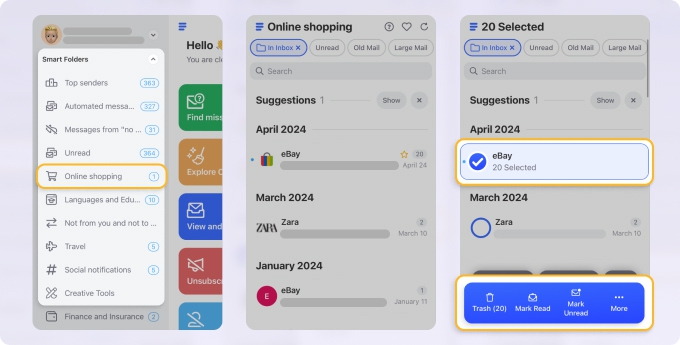
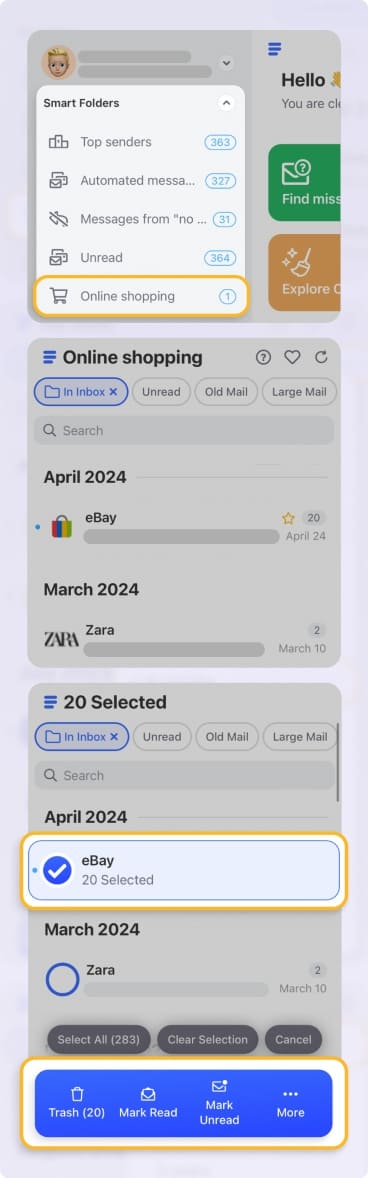
- Groups emails by sender and type automatically
- Lets you delete 5,000 promotional emails in one action
- Can auto-clean newsletters older than, say, 12 months
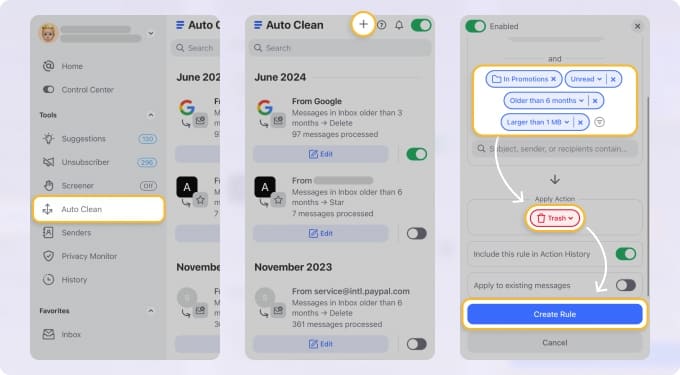
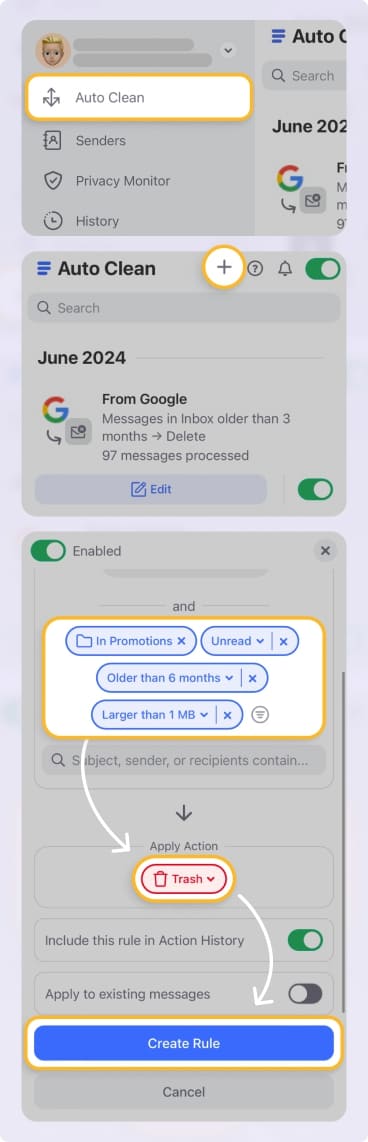
Features like Smart Folders, Auto Clean, and Unsubscriber help prevent storage from filling up again. It solved the problem native Mail.com tools couldn’t handle—bulk cleanup at scale—without creating privacy concerns. → Try it for Free
Practical Storage-Saving Tips That Actually Work
- Delete Sent emails with large attachments
- Empty Spam and Trash weekly
- Search has:attachment manually once a month
- Archive emails you must keep—but remove attachments first
- Unsubscribe from newsletters instead of deleting them repeatedly
Final Thoughts
Mail.com’s 65 GB free storage is generous, even in 2026. But storage fills up quietly over time. Once you understand what’s taking space—and clean it in bulk—the problem becomes manageable.
No panic. Just a bit of cleanup, and the inbox feels light again.












