Check Your Internet Connection
One of the simplest explanations for Gmail loading slow or not at all is a lost or weak internet connection. If this is the case, you’ll likely notice a slowdown with other websites you visit.
Confirm that you’re connected to the internet and check that connection including your wireless router and other equipment. You can also contact your internet service provider for any known outages in your area or to report a problem in your location.

Visit the Google Workspace Status Dashboard
One quick way to make sure there isn’t a problem on Google’s side is to check the Google Workspace Status Dashboard. This is especially useful if you’re experiencing issues with other Google services.
Visit the Google Workspace Status Dashboard webpage and look for the green checkmark next to Gmail for the current day. This means that Gmail is up and running.
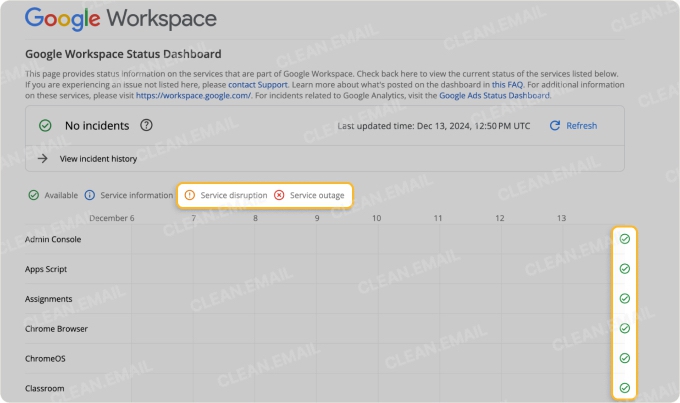
If there is a problem, you’ll see an orange exclamation mark for a service disruption or a red X for a service outage. A blue i means Google has posted service information, not that Gmail is down.
Reduce Your Mailbox Size
If your internet connection and Google’s services both check out, then the problem can be your Gmail inbox size. When you reach your storage limit, you can experience Gmail loading slow. But you may also notice Gmail uploading attachments slow or even being unable to send or receive emails.
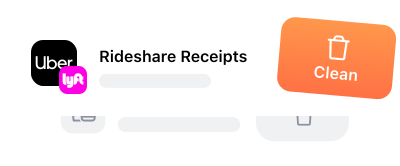
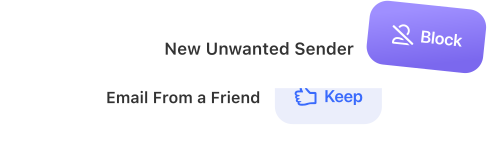
One of the fastest ways to clear out your Gmail inbox is with the Clean Email app. Using Clean Email, you can easily mass delete messages, take advantage of Cleaning Suggestions, unsubscribe from mailing lists, and use automation for organization moving forward.
Bulk Deletion: You can mass delete emails you no longer want in just a few steps. Unlike Gmail, you don’t have to continuously scroll to load and select additional messages.
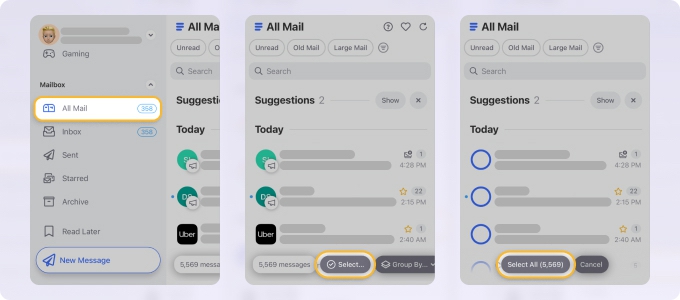
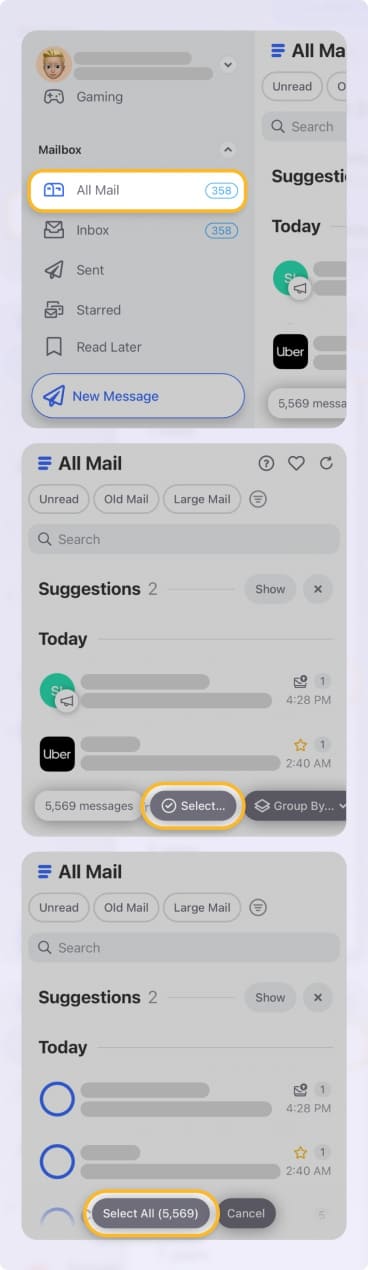
📌 Just use a few clicks or taps to remove hundreds or thousands of emails at one time, either by moving them to Trash or permanently deleting them.
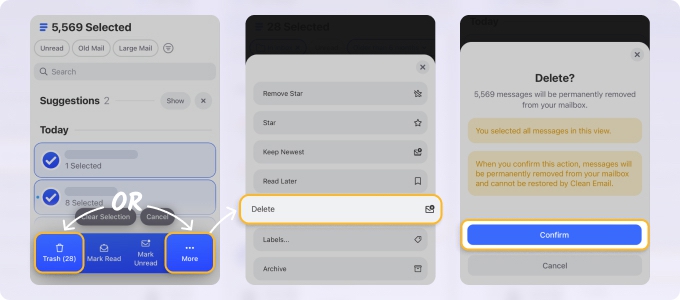
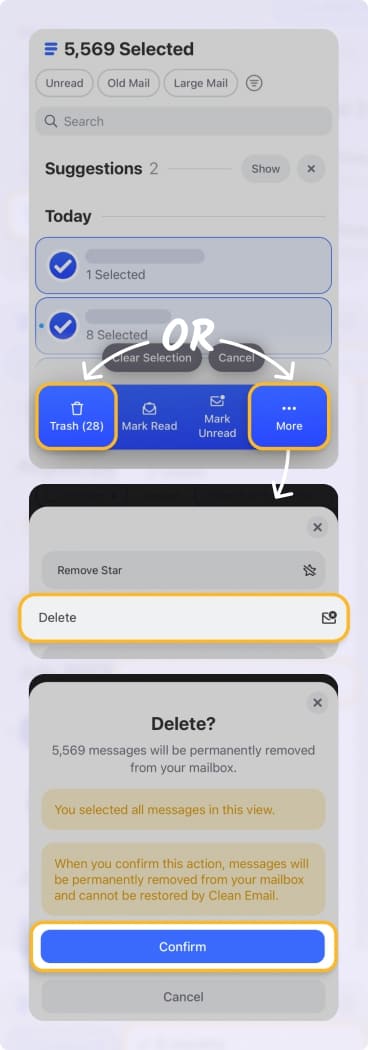
Cleaning Suggestions: You can also delete, archive, or mark groups of messages based on your previous actions. These recommendations can help you perform a quick and easy cleanup.
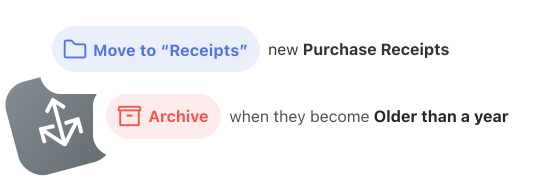
Auto Clean: You can create inbox rules to automatically manage messages as they arrive. Whether you delete, archive, mark, or move, you can continue cleaning your inbox without lifting another finger.
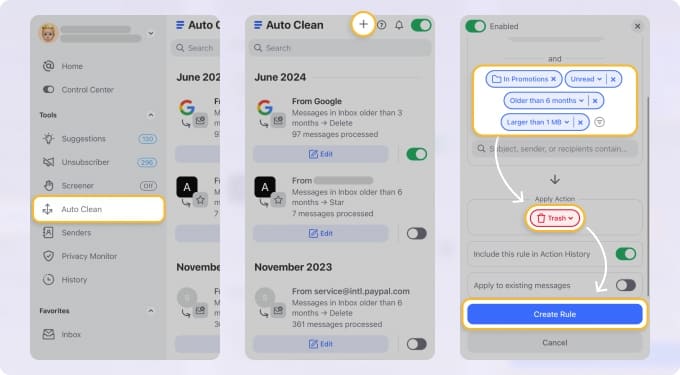
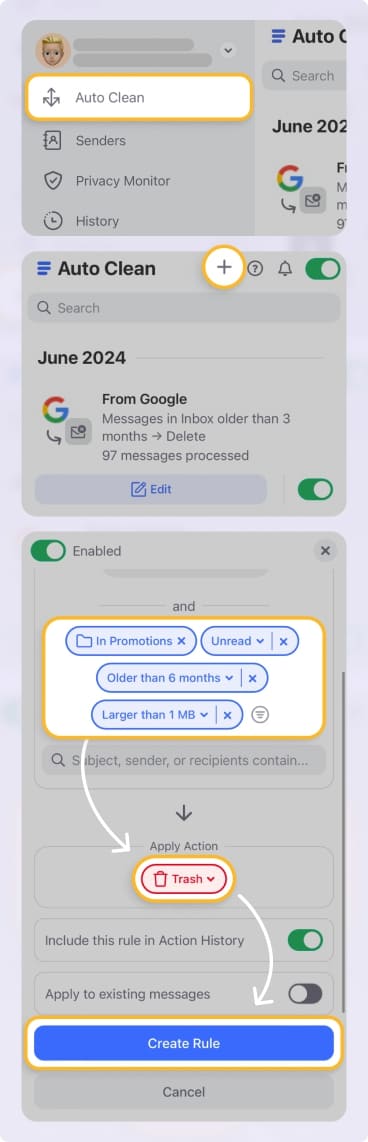
All features are available on the web, desktop (for Mac), and mobile (both iOS and Android) Clean Email app. So, no matter where you choose to use Gmail, you can do a solid cleaning and use Gmail effectively with Clean Email.
Manage Your Web Browser
Another possible cause for Gmail running slow is the web browser you’re using. You may have an outdated version, need to clear your cache and cookies, or remove troublesome extensions. A quick test: open Gmail in an incognito or private window. If it’s fast there, an extension or stored site data is the likely cause.
Update Your Browser Version
Make sure that you’re running the latest version of your web browser. You can normally check for updates in your browser settings.
For instance, if you use Google Chrome, select the three dots on the top right, then choose Help → About Google Chrome. Chrome checks for updates automatically; if one is ready, select Relaunch.
📌 Why is Gmail so slow on iPhone or Android? If you’re using Gmail on a mobile device, you can check for app updates on the App Store for iPhone or Google Play Store for Android. On iPhone, also turn on Settings → General → Background App Refresh for Gmail. You can also use the features above to clean out your Gmail inbox with Clean Email’s mobile app.
Clear the Browser History, Cache, and Cookies
Clearing out your browsing history, cache, and cookies improves loading time for websites and helps your device run faster. Additionally, it ensures you’re seeing the most updated versions of the sites you visit.
Using Chrome as an example again, select the three dots and pick Delete browsing data. You can then mark what you want to delete, such as history, cookies, or cache, along with the time range.
Disable Troublesome Extensions
Web browser extensions can be useful, but some can cause conflicts with certain websites. Also, extensions can slow down your web browser’s performance, which can make Gmail slow to load in some cases.
Using Chrome once more, select the three dots and pick Extensions → Manage extensions. You can then see any problematic extensions or those that are no longer supported with options to disable or completely remove them.
📌 Tip: If Gmail is still slow after these checks, try a different browser or another device to see whether the problem follows your account.
Check Your Labels, Filters, and Page Size
Google’s troubleshooting guidance also points to two account settings:
- Too many labels or filters: keep each under 500. Remove unused labels from the left sidebar (More → Remove label) and unused filters in Settings → See all settings → Filters and Blocked Addresses.
- Large page size: lower Maximum page size under See all settings → General, so Gmail loads fewer conversations at once.
Restart Your Device
When all else fails, a reboot of your system can often fix existing issues. Close your open applications, including your web browser, and restart your device. Once you boot back up, reopen Gmail and see if the problems are resolved.
Wrap-Up
Most slowdowns come from the connection, the browser, or an overloaded account, so work through those checks in order. And remember that Clean Email is the ultimate tool for quickly reducing your mailbox size, decluttering your inbox, and keeping things organized long-term.
FAQs
Why is Gmail slow to sync on Android devices?
Gmail can take up to 15 minutes to sync on Android, and longer if the device hasn’t been used for a while. Update the Gmail app, make sure Sync Gmail is on in the app’s account settings, and swipe down in your inbox to refresh. Clearing the app’s storage is a last resort: it can erase drafts, your signature, and other settings.
Why is Gmail slow to receive emails?
First check Gmail on the web. If the message is already there, the delay is in your phone or mail app’s sync, not in Gmail. If it isn’t arriving at all, your storage may be full or a filter may be moving it — see why Gmail isn’t receiving emails.
How can I resolve Gmail sync issues with Outlook?
If you notice Outlook Gmail sync slow, verify your IMAP settings are correct in both Gmail and Outlook. Additionally, check for any connectivity issues and ensure your Outlook client is up to date.
Why is Gmail IMAP so slow on desktop email clients?
A desktop client syncing a very large mailbox has more to download, and several apps checking the same account can hit Gmail’s access limits.
Why is Gmail slow on Mac computers?
Gmail may load slowly on Macs if the browser cache is full or extensions are causing conflicts. Clear your browser history and cache, disable unnecessary extensions, or try a different browser to improve performance.
Why is typing in the Gmail app so slow?
Typing in Gmail app is very slow when your device is running low on memory or has outdated software. Restart your device, check for app updates, and close unused background apps for better typing speed.