


What Is a Subscription Bombing Attack?
Picture this scenario. You’re checking your inbox and suddenly, messages start arriving at a rapid pace. Before you know it, you have hundreds of emails (or more!) in just minutes. You’ve just become the victim of email subscription bombing.
What happens is this. Someone uses your email address to sign up for countless online newsletters so that your inbox becomes flooded with confirmation messages. This makes it close to impossible to spot important emails or crucial alerts for unauthorized transactions or a compromised account. In a nutshell, the bomb was a mask to hide the sender’s true intentions.
In 2016, this type of attack affected many using government (.gov) addresses. But attacks like these aren’t solely for a select few. Sure, it may be more common for spammers to attack executives, administrators, or those in the public eye or in positions of authority. However, you, your parents, your neighbor, and anyone else you know can be blasted by malicious email bombs.
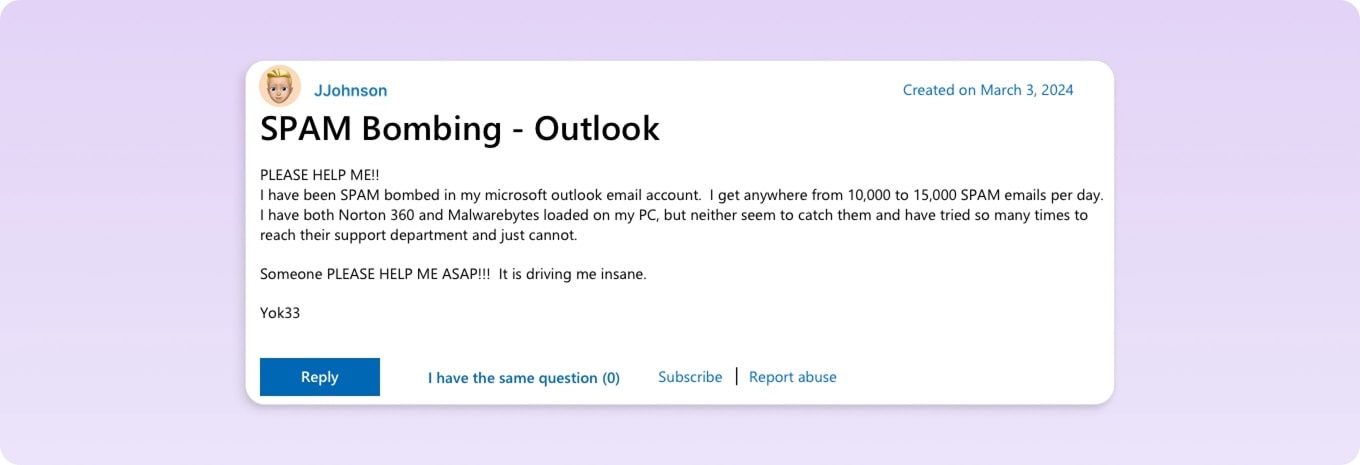
This Outlook user turned to the Microsoft Community for support after receiving between 10,000 and 15,000 spam messages per day.
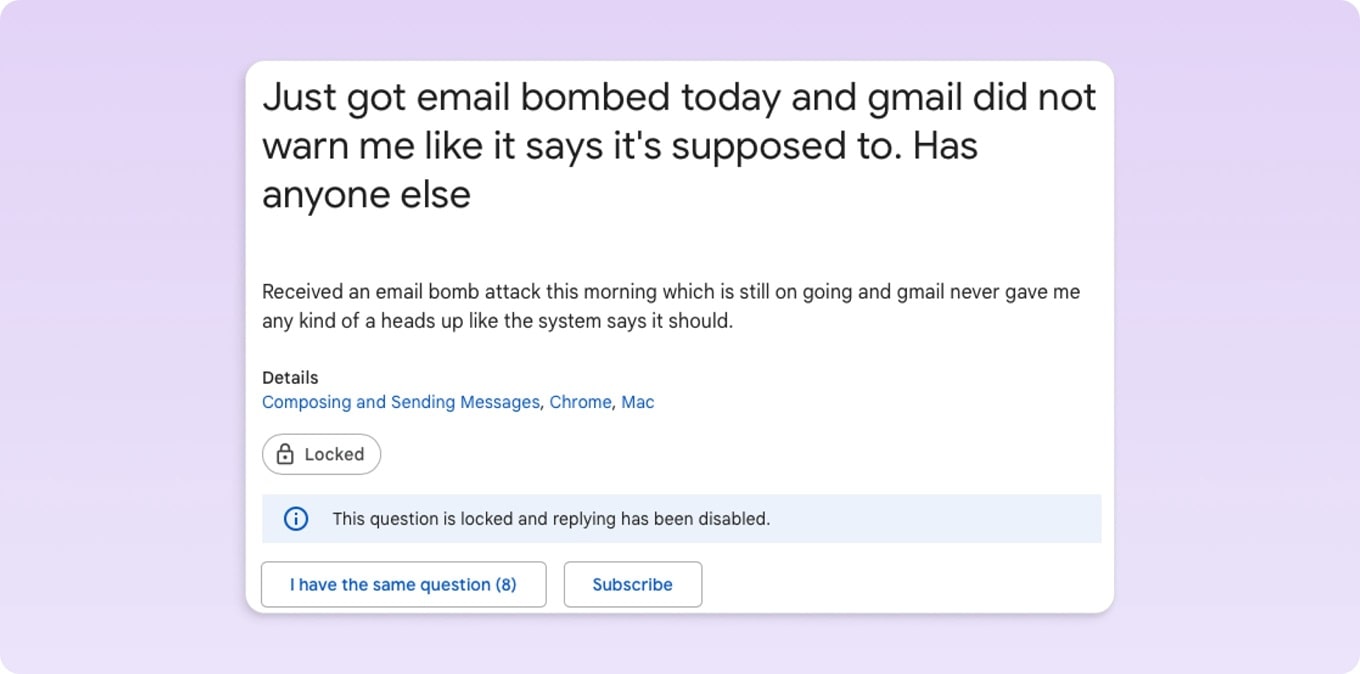
And, this user went to the Gmail Help Community to find out why they didn’t receive the help that Google stated it would.
Spammers, scammers, phishers, and subscription bombers don’t care who you are. If this has happened to you before, isn’t it time to prevent it from happening again? And if you’ve luckily never been a victim, do you want to tempt fate?
Keep reading to find out how to stop subscription bombing from blasting your mailbox.

What NOT to Do When You're Being Email Bombed
When you get hundreds of emails, your first instinct is to unsubscribe or delete them. That's exactly what the attacker wants you to do. Here's what to avoid:
- Don't open the emails that are flooding in. Some of them may have tracking pixels that show your address is still active, which could lead to even more spam in the future.
- Do not click the "unsubscribe" link in these emails. Links to unsubscribe from emails may lead to phishing pages during a bombing attack. And even if they're real, it's pointless to unsubscribe from 500 newsletters one at a time.
- Don't delete everything by hand. The whole point of the attack is to bury important emails like receipts for purchases or alerts to reset passwords. If you mass-delete first, you might lose the evidence you need.
- Don't ignore it. Subscription bombing almost always means something else is happening, like an unauthorized purchase, a password change, or a new login. Think of it as a security issue, not a spam problem.
Is My Email Hacked? What to Check During an Attack
Subscription bombing is rarely random. Here's what to check while the attack is happening:
- The Canadian Centre for Cyber Security recommends avoiding suspicious messages and reporting them as spam or phishing.
- Set up two-factor authentication and change your password. Even if everything seems fine, do this. Use an authenticator app, it's stronger than SMS.
- Don't delete anything yet; search your inbox first. Check for "password changed," "order confirmation," "new sign-in," or "verify your identity." Also, look in your Spam and Trash folders; filters may have caught them.
- Go directly to your bank and shopping accounts. Don't click on links in emails; type the URL yourself. Check for transactions that you don't remember, even small ones.
- Check the history of your email logins. In Gmail, go to the bottom of your inbox and click "Details." In Outlook, go to account.microsoft.com, then Security, and then Sign-in activity. Unfamiliar locations or devices mean someone may have access right now.
- Look at the rules for email forwarding. Attackers often set up silent auto-forwarding to send messages to their own address. In Gmail: go to Settings → Forwarding. In Outlook, go to Settings → Mail → Forwarding. Take away anything you didn't set up.
- Call your bank if you see unauthorized charges. Don't wait. The sooner you report, the easier it is to reverse.
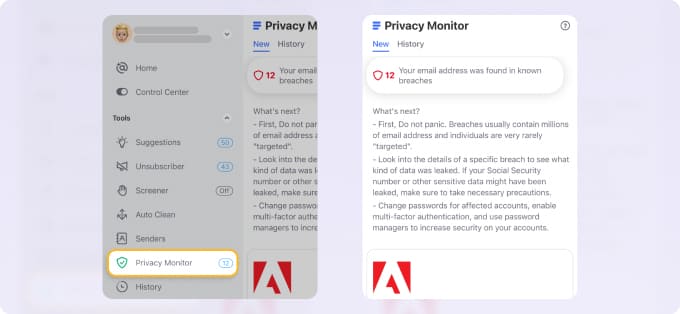
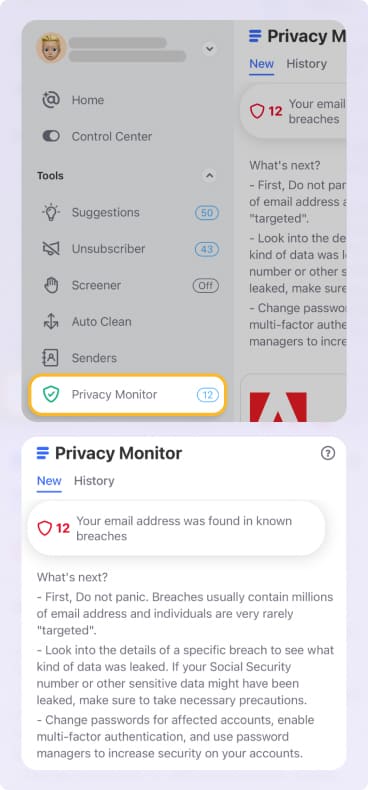
💡 Note: Keep abreast of data breaches and security incidents using the Privacy Monitor in Clean Email. With this tool, you’ll be notified if your email address was involved in an incident.
How to Stop Email Subscription Bombing with Clean Email
When a subscription bombing attack takes place, you can receive many messages to your inbox rapidly within a short period of time. This means you could get hundreds of emails in less than 10 minutes. How can you possibly manage that without help?
To protect yourself and your inbox, Clean Email provides a feature called Screener. With it, messages from unknown senders are automatically collected in a separate spot in your mailbox. You can then review these emails and decide to allow, block, or unsubscribe, and do so in bulk if necessary.
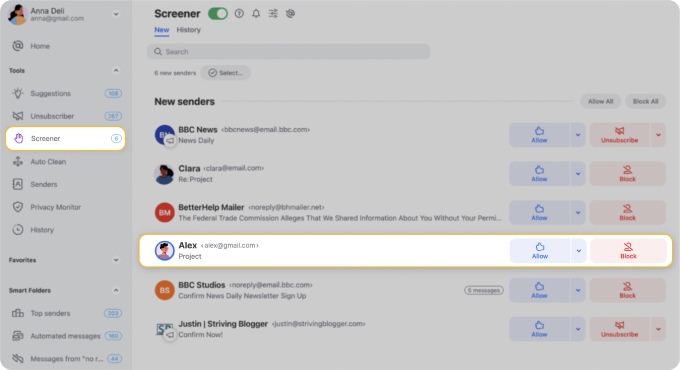
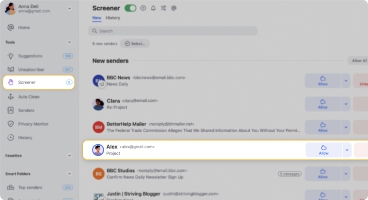
Because Screener stops messages from landing in your inbox until you approve them, this is the ideal tool for stopping an email subscription bomb.
Here’s how to stop a spam bomb in Gmail, Outlook, or Yahoo Mail by turning on Screener in Clean Email:
- Select Screener in the left-hand menu.
- On the right, either turn on the Screener toggle at the top or click Enable Screener.
- Review the Screener settings and adjust those per your preference.
- Click Enable Screener and you’re set!
After the attack, use Clean Email to select all bombing messages at once, unsubscribe in bulk, and pause any senders you want to review later.
Is Clean.Email safe to use?
Yes, it is committed to the privacy and security of its users. It does not store, sell, or analyze your data. Clean Email only uses data for the application’s features, never downloads full emails, and follows the email service providers’ privacy policy requirements.
For additional details, you can review Clean Email’s Privacy Policy.
Learn more about how to manage email subscriptions effectively.
Standard Gmail, Outlook, or Yahoo Options Don’t Work
Most service providers offer tools to help you reduce or eliminate spam.
For example, Gmail, Outlook, and Yahoo Mail all provide ways to mark and report spam. While this is fine for one-off messages and cleaning up junk in your inbox, it can’t stop a subscription bomb.
You can also block senders who won’t stop emailing you. Unfortunately, senders can simply use a different email address or domain to continue harassing you over and over.
Google also suggests using Gmail Categories to sort incoming messages during an attack, but it won't stop or prevent one.
Wrap-Up
Don’t be a victim of email subscription bombing. You do have the power to stop this type of attack before it happens. Maybe you’re already looking for email security software or perhaps you’re trying out an email filtering service for spam.
Just keep in mind that with Clean Email, you can protect yourself with Screener as a subscription bombing tool and stay in-the-know with Privacy Monitor.












