Wanted: Mailman App Alternative
Mailman is a Gmail add-on that controls when email reaches your inbox: it holds messages until scheduled delivery times and screens out senders you haven’t approved. It’s a good fit if constant interruptions are your main problem, but it doesn’t clean up the email that’s already in your mailbox.
There are many tools that can help you keep your inbox organized and maintain Zero Inbox, including a Gmail plugin called Mailman. There are also many excellent Mailman app alternatives, including Clean Email.
In this article, we compare Mailman and Clean Email to see which of these two tools deserves your attention and money more.
What Is the Mailman App?
The Mailman app is one of the best Gmail add-ons for users who are tired of constantly receiving an endless stream of messages that keeps them from focusing on what’s important at the moment. A 21-day free trial is available with no credit card required, and the Standard plan costs $8 per month billed annually or $10 billed monthly. It’s not to be confused with GNU Mailman, the open-source software for running mailing lists.
According to its official website, this add-on is used by employees working at some of the world’s largest companies, including Google, Dribbble, and MetaLab. The website even displays their testimonials, in which they praise Mailman for improving their Gmail experience.
So, what does Mailman actually do?
It acts like an email firewall: instead of letting every message arrive the moment it’s sent, Mailman delivers email in batches at hourly intervals, a set number of times per day, or at specific times you choose.
For example, you can configure Mailman to deliver new emails only two times a day, or, if you would rather approach it from the other end, you can set a period during which you don’t want to receive any emails at all.
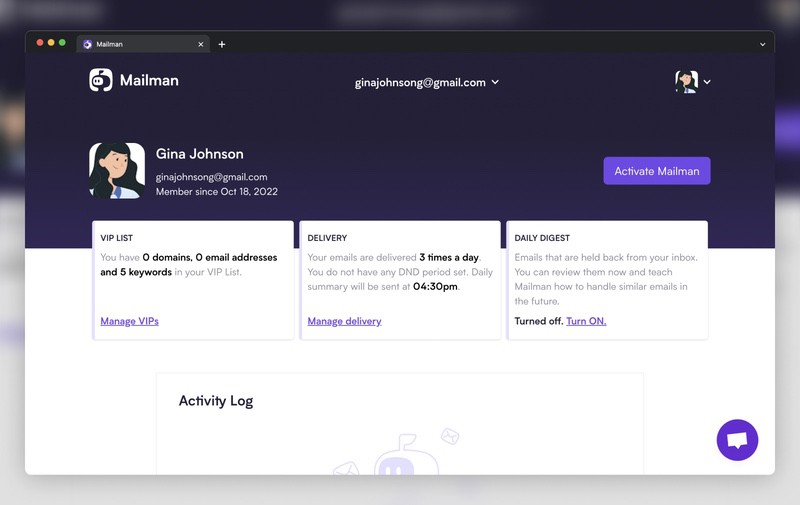
Recognizing that some senders, such as your boss or your loved ones, are more important than others, Mailman lets you set VIPs using email addresses, domains, or keywords to ensure their emails always arrive in your Gmail inbox as soon as possible.
Emails from unknown senders—people you’ve never emailed and haven’t reviewed before—are held for a Daily Digest that arrives each evening. From the digest, you can allow a sender so future messages reach your inbox, or block them so they stop bothering you. Newsletters and notifications can also be bundled into a single scheduled email that Mailman calls a Magazine.
Because of these features, Mailman is often recommended as one of the best Sanebox alternatives—SaneBox itself uses artificial intelligence to sort messages into specific folders and remove distractions.
- Effortless management of incoming messages
- Works with many popular email clients
- 21-day free trial available
- Can’t delete or change your existing emails
- Works only with Gmail
- Won’t help you clean existing emails
- Customer support provided only via chat
What Is the Clean Email App?
Clean Email is a Mailman app alternative that lacks some features for scheduling email deliveries, but it offers many useful inbox cleaning features that Mailman doesn’t have.
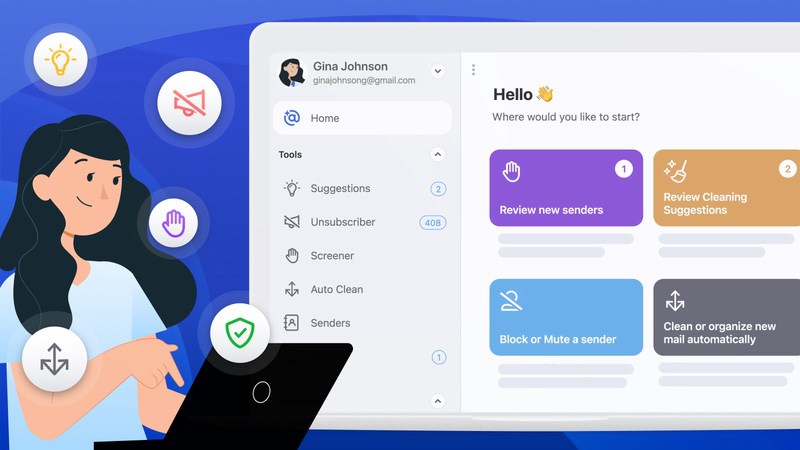
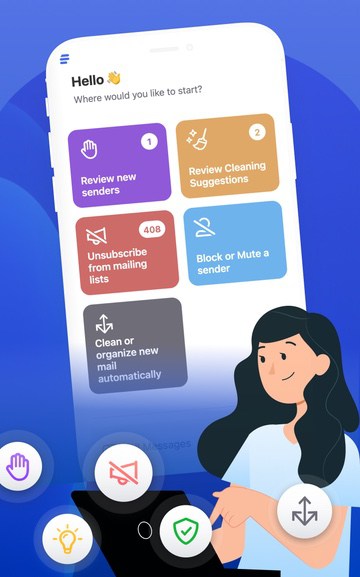
To start with, the app allows users to delete or otherwise organize thousands of messages in a few clicks just like apps like Mailstrom (that’s why it’s so often recommended as an excellent Mailstrom alternative).
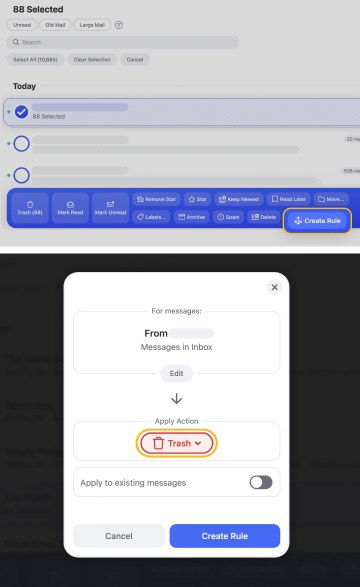
The entire bulk organization process is effortless and begins with the selection of a message based on which the user wishes to create an automation rule. While alternative tools like Leave Me Alone focus solely on unsubscribing, Clean Email goes further. When the user decides to, for example, delete the message, the app provides the option to apply the rule to all matching and future emails as well.
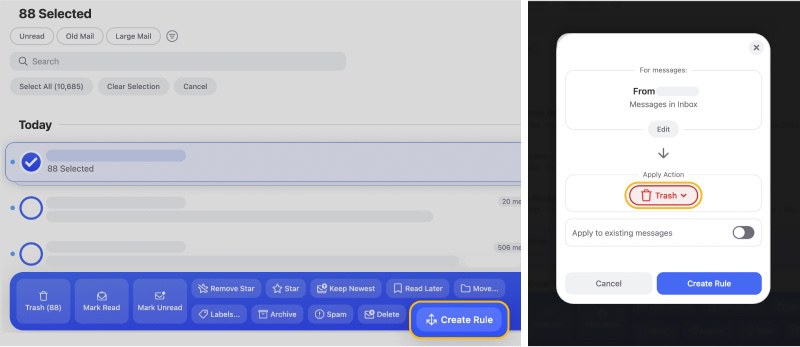
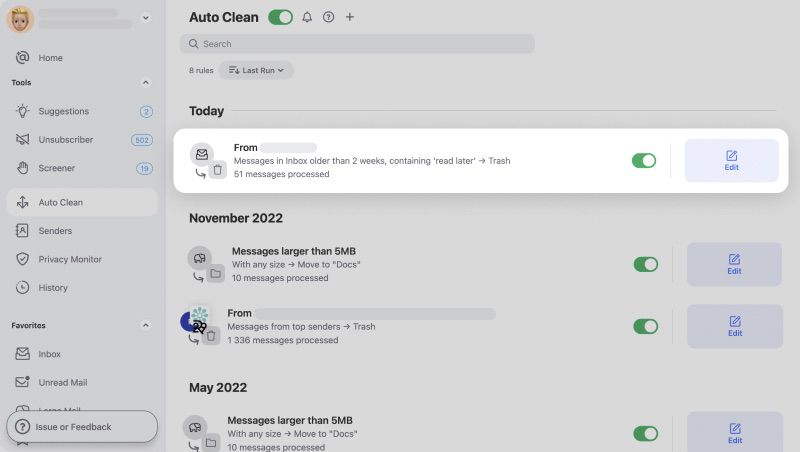
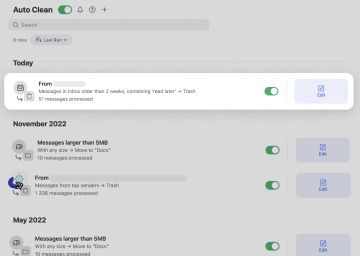
Just like Mailman, Clean Email lets you manage all previously created rules from a convenient dashboard. You can pause and resume rules with the click of a button, and deleting rules that no longer serve their original purpose is equally easy.
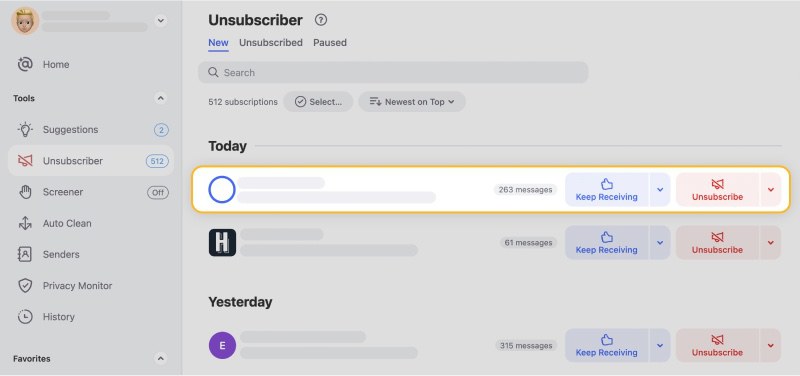
The app can also unsubscribe from unwanted subscriptions even if they don’t contain unsubscribe links, and it can block any sender without notifying them. These features can greatly cut down on the number of messages that arrive in your inbox on a daily basis.
Whereas Mailman is a Gmail add-on that can’t help you manage non-Gmail inboxes, Clean Email is a web and mobile application, and you can use it to manage just about any inbox, including Gmail, Yahoo, Outlook, AOL, and others.
The free version of Clean Email can organize up to 1,000 messages (+ 2,000 more by mentioning the app on social media and inviting new users), and subscription plans start at just $9.99 per month, but the monthly cost of the app can be much lower if you pay annually and take advantage of the numerous discount deals that are available throughout the year.
- Cleans both existing and future emails
- Mobile and web app available
- Works with all popular mail services
- Can clean thousands of messages for free
- Doesn’t share data with third parties
- Customer support provided only via email
Verdict: Clean Email Is an Excellent Mailman App Alternative
If all you expect your inbox management tool to do is to control the flow of incoming emails so that you can better focus on your work, then Mailman is a decent choice.
But if you actually want to achieve Zero Inbox and maintain it on an ongoing basis, then Clean Email provides a much broader and more capable selection of inbox management features, including Auto Clean rules, Unsubscriber, and others.
Since both Mailman and Clean Email offer a free trial, there’s nothing stopping you from giving both of them a try to see how well they work and how closely they can meet your needs.
Just keep in mind that Mailman works only with Gmail, so it won’t help you manage any other email account.
Mailman Alternatives - FAQs
Is Mailman Gmail assistant free?
No. Mailman offers a 21-day free trial with no credit card required, after which you need the Standard plan: $8 per month billed annually or $10 billed monthly. It works with any email client connected to your Gmail account, including Apple Mail, Spark, Mailbird, and Polymail.
How do you use the Mailman app?
Sign up with your Gmail account and click Activate Mailman on the dashboard. Then add important domains, email addresses, and keywords to the VIP List, choose Delivery Slots for everything else, and review emails from unknown senders in the Daily Digest each evening.
What is the best way to organize your Gmail inbox?
We believe that Clean Email is the best way to organize any Gmail inbox because this inbox management tool extends automatic email organization to past emails, allowing you to clean up a messy inbox with ease.