


Interface and User Experience
Your inbox is a hub for your digital life. So when it comes to interface and UX, the question remains: Yahoo email vs Gmail?
Gmail’s interface
Gmail’s design is built on minimalism and efficiency. Sure, you can customize the background with themes. But to be honest, its strength lies in a clean, uncluttered layout.
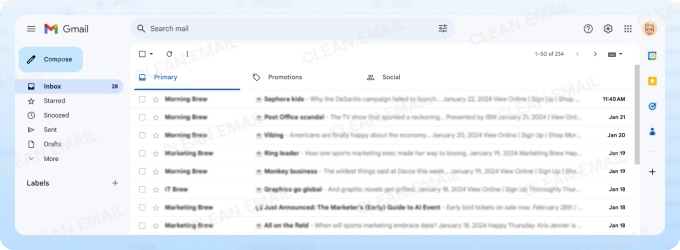
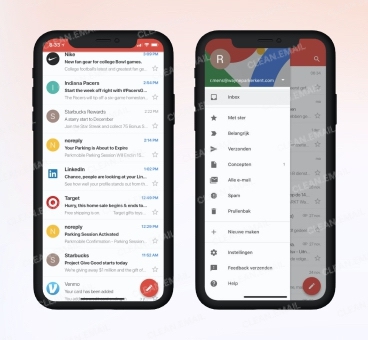
And we’ll be remiss not to put a spotlight on the powerful search bar, which is reminiscent of Google's core technology (Google search). It lets you find anything with advanced filters. Talk about function over form — and it works!
Instead of traditional folders, Gmail also uses a flexible label system. What this means is you can assign multiple labels to a single email. For the organization freak, this is like Mel Gibson in Braveheart yelling, “Freedom!”
But the standout feature is the tabbed inbox. It automatically sorts mail into categories like Primary, Social, and Promotions.
“Automatically” sounds like heaven to many, as this keeps your main inbox focused on what matters, pushing marketing clutter to the side, without you having to do anything!

Yahoo Mail’s interface
Okay, so now with the conventional. Yahoo Mail offers a folder-based layout and a tabbed feature to separate offers and social media notifications.
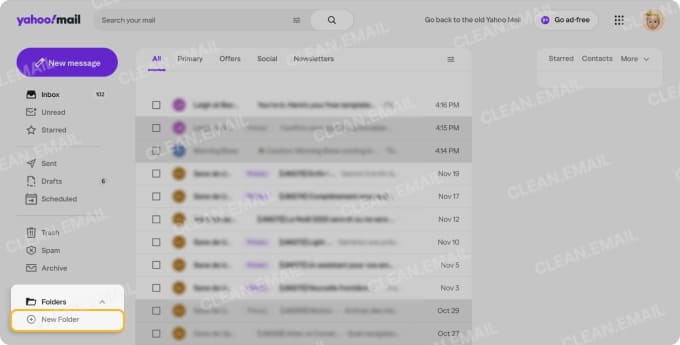
But add intrusive ads into the mix (at least in the free version), and the screen can feel instantly cluttered.
That said, you can also adjust view settings and disable multitasking tabs to clean things up and choose between light or dark modes. So to be fair, you’ve got options for personalization, but that’s pretty much it.
Yahoo Mail App vs Gmail App Features and Integrations
A Yahoo Mail vs Gmail features comparison is a good jump-off point for deciding which one’s right for you.
Gmail: the productivity powerhouse
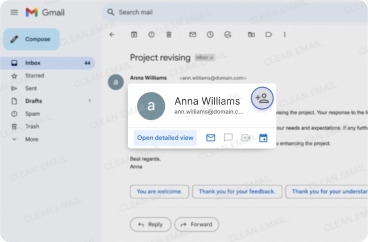
Gmail integrates seamlessly with the Google Workspace ecosystem: Calendar, Docs, Sheets, and Meet. Gmail lets you turn an email into a calendar event and work with your team on a document — get this — from your Gmail inbox.
Plus, it’s got other features like Smart Compose, Smart Reply, and email snoozing.
Yahoo Mail’s smart features
Yahoo Mail’s Smart Features are designed to organize your inbox and save you time. They can automatically detect event invites and add them to your Yahoo Calendar, while the Subscriptions view helps you manage and unsubscribe from mailing lists with one tap. Sounds like having an efficient intern doing the hard work for you!
Yahoo Mail vs Gmail Storage
Storage is one of the biggest things many people are looking for. How you manage files and attachments can strongly dependent on the email platform.
Yahoo Mail: the storage giant
Yahoo Mail gives you 20 GB of free storage from the get-go. That’s plenty for everyday use!
And if your inbox is bursting with newsletters and photos (or a backup for all the stuff in your phone), you have upgrade options:
- 100 GB Plan: This is a good fit for active users who need extra room.
- 1 TB Plan: If you’re a long-time user with massive archives that go all the way back, this is for you.
If your storage needs are just as large as your ambition to never delete an email, you can combine Yahoo Mail Plus with a storage plan for a whopping 1 TB of space! And with that, this tech giant wins the battle between Yahoo Mail Plus vs Gmail.
Gmail: the ecosystem approach
Gmail offers a more modest 15 GB of free storage. But hold your horses, that number can be pretty misleading. This 15 GB is shared across your entire Google account, including Google Drive and Google Photos.
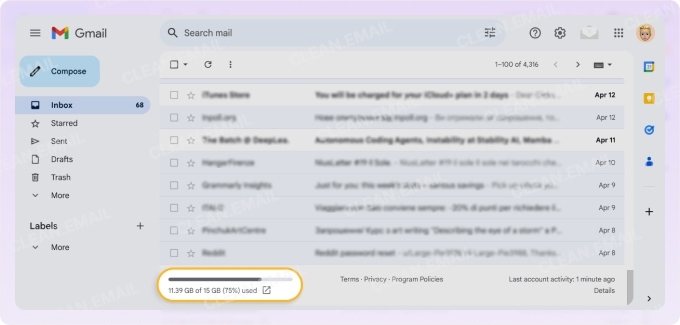
For smartphone users backing up photos or storing documents in Drive, this space disappears quickly. What this means is that hitting the limit is likely to stop you from sending or receiving emails. And yes, what happens next is you’re forced to either delete files or pay for an upgrade.
For attachments larger than 25 MB, Gmail seamlessly uploads the file to Google Drive and includes a link in the email. Paid plans through Google One offer more storage, with options going up to 30 TB.
Gmail vs Yahoo Security and Privacy
Security in today’s time is non-negotiable. Both platforms offer standard features like two-factor authentication (2FA) and transit encryption. But neither provides default end-to-end encryption.
Yahoo's history of breaches
Hate to be negative Nancy here but we have to talk about Yahoo's past. Especially its record for one of the most significant data breaches in history — the 2013 and 2014 incidents when three billion user accounts were compromised.
To be fair, Yahoo has come a long way in terms of data security since. But these incidents are forever etched in tech histor
y and can make users a little iffy about its cybersecurity capabilities.
Gmail's proactive stance
Gmail has a stronger security reputation, backed by Google's massive cybersecurity infrastructure. Also, how about the AI-driven spam and phishing filters that can effectively block malicious emails before they even reach you?
There’s also the "Confidential Mode." It lets you send self-destructing emails and prevents recipients from forwarding, copying, or downloading the content. Sounds very Mission Impossible, doesn’t it?
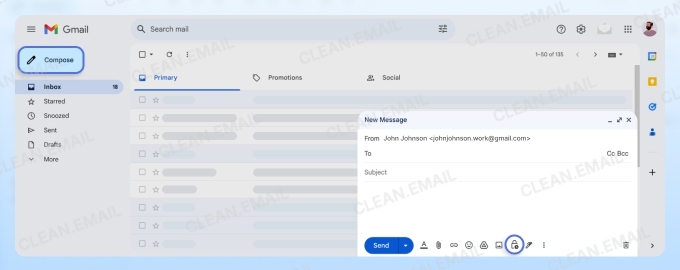
However, this feature isn't true end-to-end encryption and isn’t foolproof for highly sensitive communication.
Managing the Clutter with Clean Email
Okay, after all’s said and done, one thing remains — the fact that inboxes can get messy, fast. This is where tools like Clean Email become a lifesaver, especially for users who have both email providers. Moreover, it is designed to operate across all devices and platforms, including Mac computers, iOS and Android mobile devices, and any web browser.
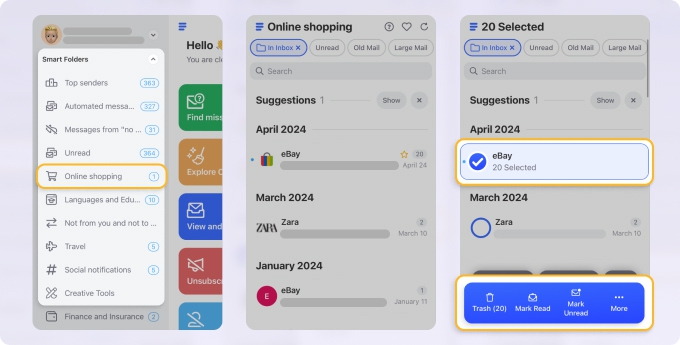
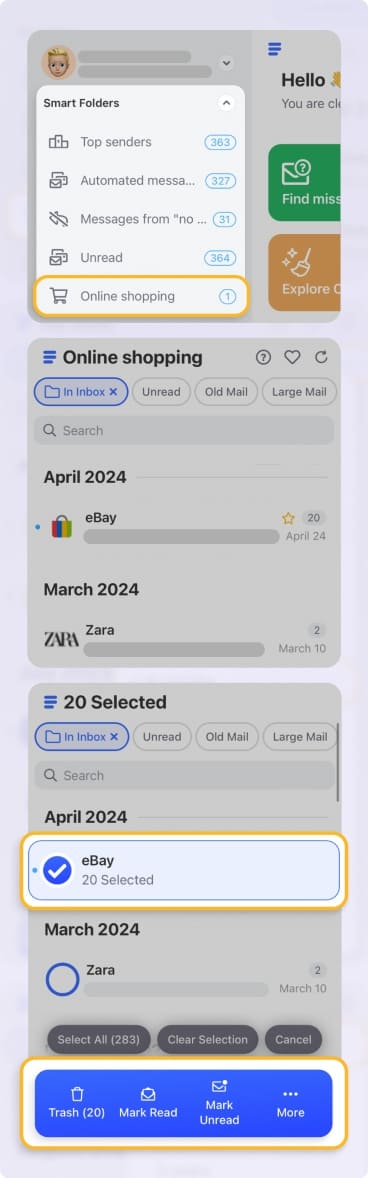
- Clean Email groups similar emails into Smart Folders (like Social notifications, Productivity tools, or Top Senders). This lets you delete, archive, or move thousands of messages — all with a single click!
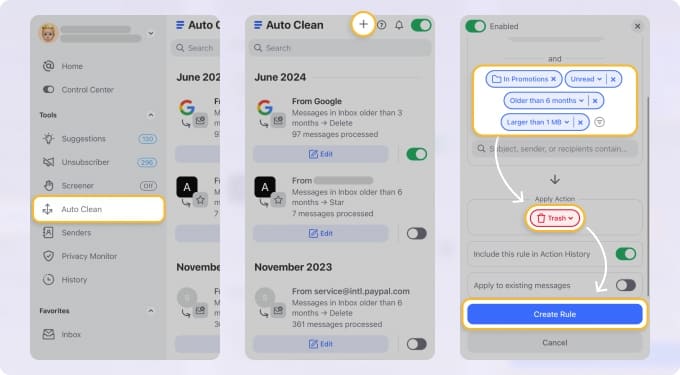
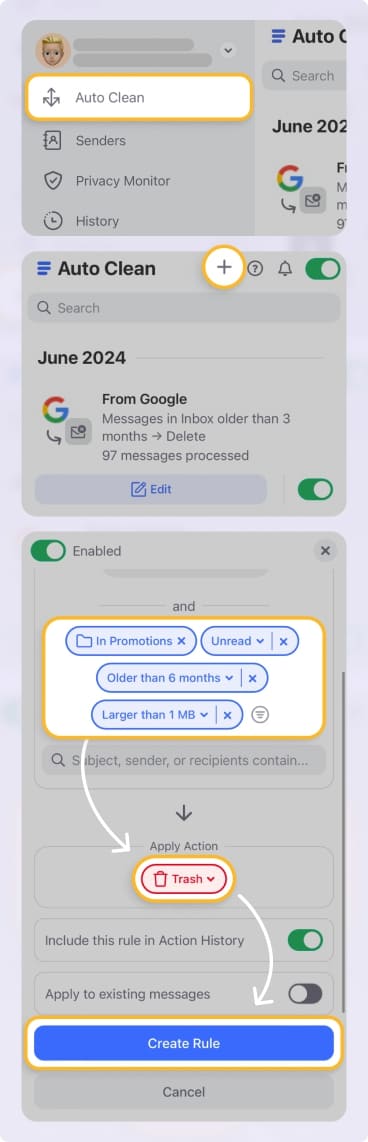
- You can set up rules to automatically handle incoming and existing messages. Automated cleaning is what all of us need to keep a tidy inbox without constant manual effort.
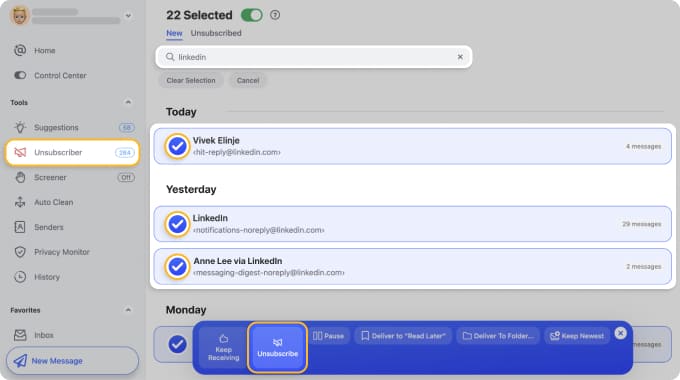
- Instead of hunting for unsubscribe links in each individual email (imagine that), Clean Email presents a simple list of all your subscriptions. This lets you unsubscribe in bulk — with one click. Can you see a pattern here?
- Unlike some free services, Clean Email keeps your data safe. It doesn’t read your emails (nor analyze your data for advertising).
So, Which Service Should You Choose — Gmail vs Yahoo Mail?
This isn't just about which is better; it's about which is better for you. The right email service can either add to the chaos or bring a sense of order.
➡️ Choose Gmail if: You value minimalism, productivity, efficiency, seamless integrations, and time-saving AI features.
➡️ Choose Yahoo Mail if: Your primary concern is generous free storage, and you prefer a traditional folder-based email system and don't mind ads.
Gmail vs Yahoo for personal use: Yahoo’s massive storage and simple, effective features make it a strong contender for those who prioritize space — especially for all their cat memes.
Gmail vs Yahoo for business: For the modern user, especially for the on-the-go professional battling digital (and decision) fatigue, Gmail’s focus on automation and integration offers a more efficient path.












