
Privacy Monitor – Check If Your Email Was Leaked
Wondering whether your inbox is exposed? Clean Email's free Privacy Monitor works as a built-in email hacked checker that continuously compares your address against known data breaches and security incidents. The moment your email turns up in leaked data, you'll know — so you can act before anyone else does.
People really like
Clean Email.
1,500,000 people tried Clean Email and love the results.
Get Alerted if Your Email Is Compromised
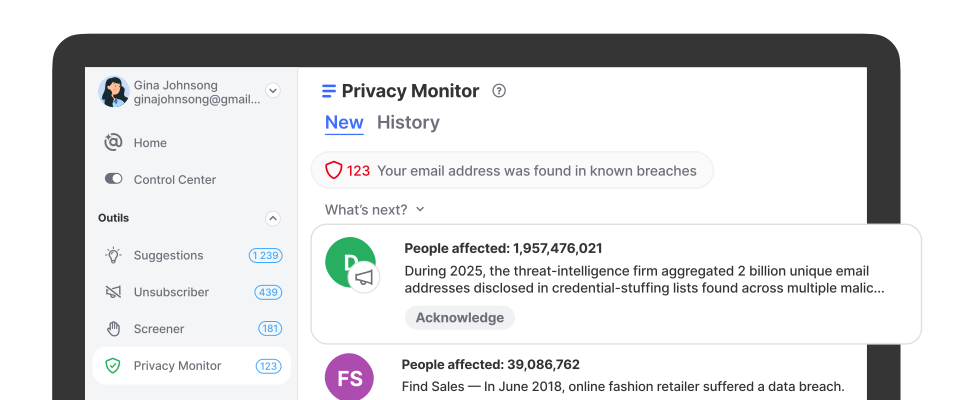
Privacy Monitor in Clean Email continuously checks your email against known data breaches, so you never have to wonder, "has my email been hacked?" again. If your address appears in a breach, you'll see a badge next to Privacy Monitor showing how many incidents were found. Unlike a one-time hacked email checker, it monitors automatically in the background, with no scans or renewals to remember.
How Privacy Monitor Works Automatically
There's nothing to switch on. Privacy Monitor is active from the moment you connect your account, and it protects you without a single click:
- It continuously checks your email address against a growing database of known data breaches and leaks.
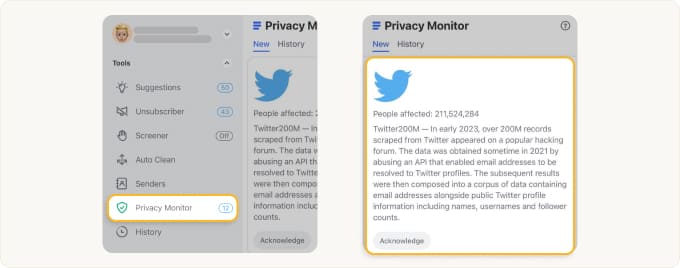
- If your address is found, a badge appears next to Privacy Monitor in the left-hand menu, showing how many incidents were identified.
- You open Privacy Monitor to review the full details of each incident.
- You acknowledge incidents you've dealt with to keep your list clean and current.
Privacy Monitor works automatically — you do not have to activate or enable the feature. We're always looking out for your privacy.
What Privacy Monitor Checks For
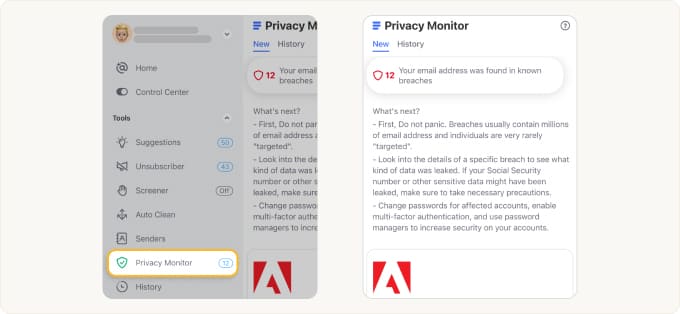
This built-in "has my email been hacked?" checker goes beyond a simple yes-or-no answer. For each incident it surfaces:
- The breach or security incident where your data appeared.
- The type of data exposed, such as passwords, personal details, or account information.
- When it happened, so you can gauge how urgent your response should be.
Seeing what leaked — not just that something leaked — helps you decide which passwords to change first and where to enable extra security.
Review the Details at Your Convenience
When Privacy Monitor flags something, you stay in control. Click into the tool to see a clear list of every incident tied to your address, review exactly what was involved, and take your time — the information waits for you. Nothing is hidden, and nothing pressures you into a rushed decision.
View Your Complete Breach History
The History tab stores every incident you've already reviewed, so you always have a complete timeline of your email's exposure. Revisit past breaches anytime without losing track of what you've already checked.
Monitor Multiple Email Addresses
Privacy Monitor shows activity for the currently selected email address. If you've added other addresses to your Clean Email account, simply switch accounts from the menu and open Privacy Monitor again to check each one. Keep tabs on your personal, work, and backup inboxes from a single dashboard.
How Privacy Monitor Protects You
Whether you use your inbox mainly for work or personal life, Clean Email's Privacy Monitor helps you stay ahead of the security risks that come with modern email.
- When a site you trusted gets breached
- When you reuse a password across accounts
- When you want to know if your email was hacked — without the hassle
You signed up for a service years ago and forgot about it — then that company is hacked. Without a checker, you might never learn your credentials leaked. Privacy Monitor spots your address in the breach and flags it, so you can change reused passwords before attackers try them elsewhere.
One leaked password can unlock several accounts. By showing which breach exposed your email and what data was involved, Privacy Monitor helps you pinpoint exactly which logins need updating first.
Instead of pasting your address into a different leaked email checker every few months, you get an always-on monitor tied to your inbox. The work happens for you, and you're alerted only when it matters.

Your Privacy Comes First
Clean Email is built around one simple principle: your data is never shared, sold, or exposed. Privacy Monitor is designed to protect you, not to add risk — it checks your address against breach data so you can respond, while your account and its contents stay private.
For complete transparency, see our Privacy Policy and learn why Clean Email is safe.
Always-On Inbox Protection
No matter where your emails live or how you access them, Clean Email provides continuous privacy protection.
Supports All Major Email Providers
Clean Email seamlessly integrates with Gmail, Yahoo, Outlook, AOL, iCloud, and any IMAP-compatible email service. As a trusted provider certified by Google, we undergo annual security audits to confirm your data is fully protected.
Works With Your Favorite Email App
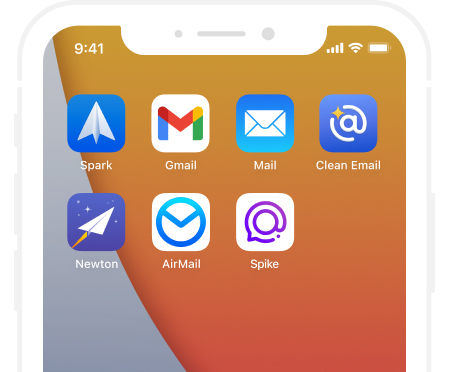
Since Clean Email connects directly to your email account, you can keep using Apple Mail, Thunderbird, or any client you love. Privacy Monitor keeps watch behind the scenes while you work the way you always have.
 4.5based on 3,700 user reviews
 Clean Your Mailbox
Use tools like Cleaning Suggestions and Smart Folders to help you quickly clean out an overloaded inbox
 Unsubscribe
Keep unwanted emails out of your inbox by unsubscribing—even from email lists that don’t have an unsubscribe link
 Keep it Clean
Automate repetitive tasks with Auto Clean rules to archive emails as they become old or to sort them into folders