How Can I Unsubscribe From Emails in Bulk?
You can unsubscribe from emails in bulk in Clean Email by using the Unsubscriber tool. It shows your subscriptions in one place, so you can select multiple senders and unsubscribe from them at once instead of opening each newsletter separately.
- Open the Clean Email app.
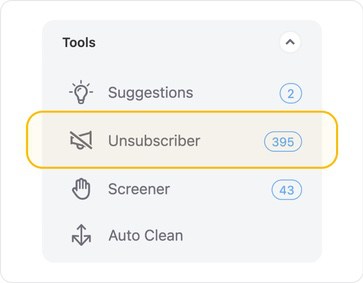
- Go to Tools.
- Select Unsubscriber.
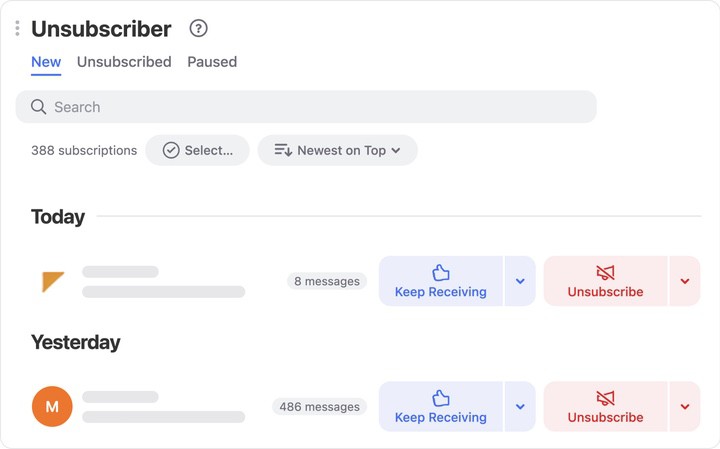
- Review the list of subscriptions Clean Email found in your mailbox.
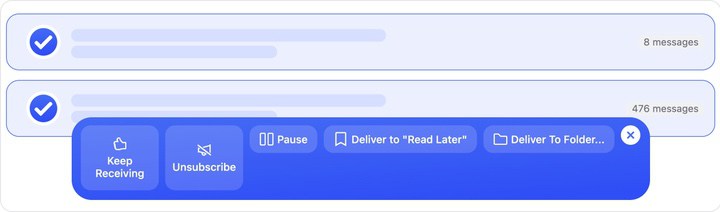
- Select the subscriptions you no longer want to receive.
- Click Unsubscribe to remove them in bulk.
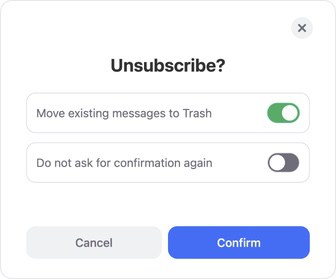
- In the confirmation dialog, choose whether to move existing messages to Trash, then click Confirm.
⚠️ Caution: Check your selections carefully before applying bulk unsubscribe or other group actions to multiple mailing lists.
Clean Email will process your selected subscriptions and help stop future messages from those senders. This is useful when your inbox contains newsletters, promotional emails, store updates, alerts, and other recurring messages you no longer need.
What happens after I unsubscribe?
After you unsubscribe, Clean Email works to stop future emails from the selected senders. Depending on the sender, the unsubscribe request may take some time to take effect. If messages continue to arrive, you can also use Clean Email’s additional sender controls, such as blocking or moving future emails automatically.
📌 Note: You do not have to unsubscribe from everything. Review the list, keep the subscriptions you still want, and select only the ones you want to remove.
Please contact us and we will be happy to help.