


Can You Sort by Sender on Mail.com?
Yes—but with important limitations.
In the Mail.com web interface, you can:
- Go to your Inbox.
- Click the From column header.
This sorts emails alphabetically by sender name or address.
That’s it.
You’re still seeing individual emails, just reordered. Messages from the same sender are not grouped together in a meaningful way.
Does Mail.com Support Grouping by Sender?
No.
Mail.com does not offer:
- Conversation grouping by sender
- Sender-based folders created automatically
- Smart views showing one sender at a time
Any grouping must be done manually, email by email.

Grouping Mail.com Emails by Sender with Clean Email
This is exactly the problem Clean Email was built to solve.
Clean Email connects to Mail.com and analyzes metadata only—sender, date, size, headers. Message content isn’t read or stored, which is worth noting if privacy matters to you.
What you get instead:
- Automatic grouping of emails by sender
- A single view showing all messages from one sender
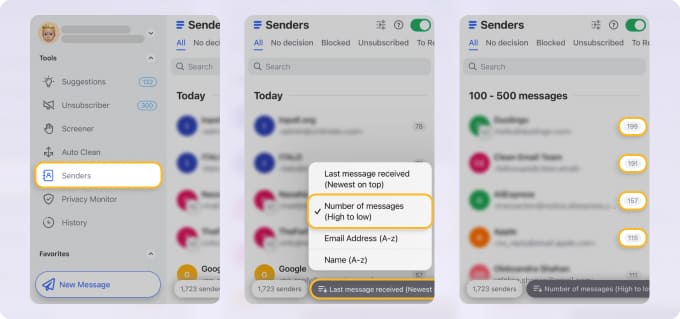
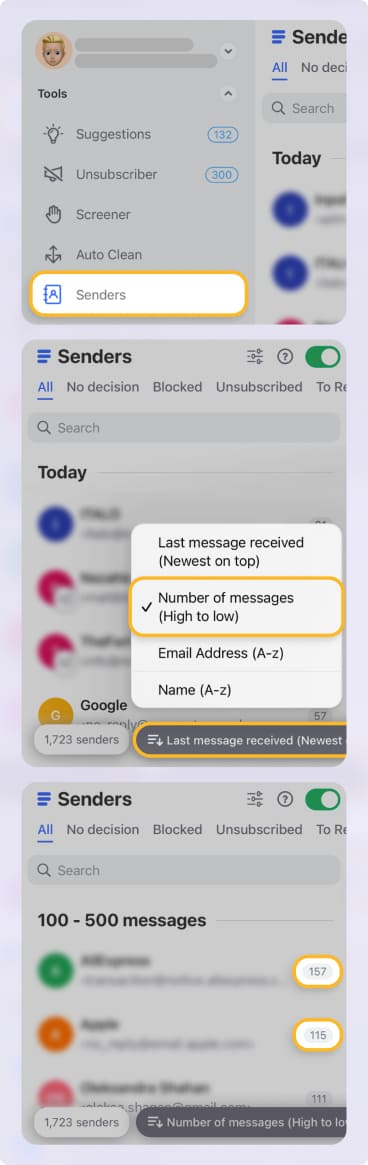
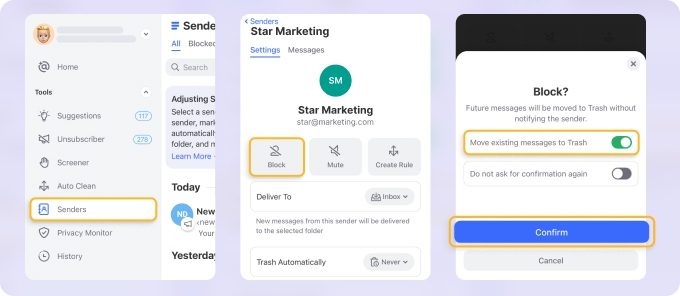
- Bulk actions: delete, archive, label, or block

- Smart Folders that stay updated automatically
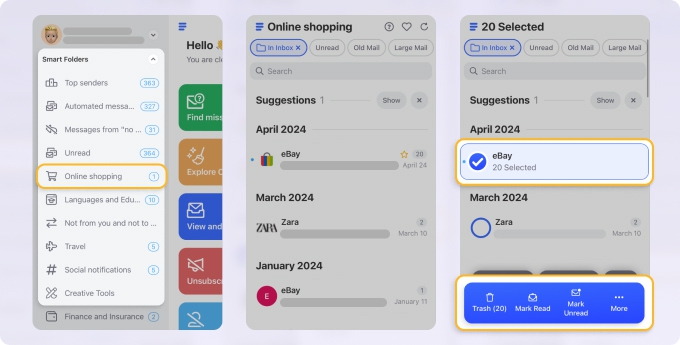
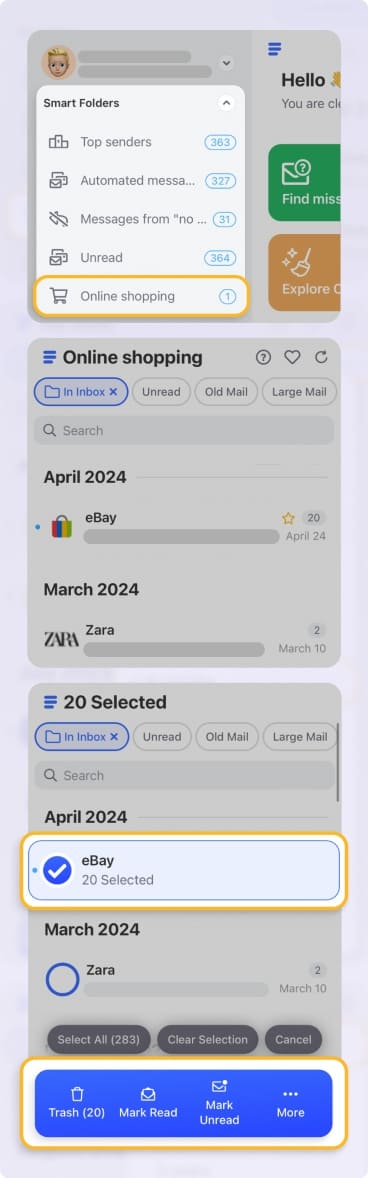
For example, instead of deleting 300 emails one by one, you can review them as a group and take action once. In my testing, this turned hour-long cleanups into a five-minute task. → Try it for Free
Why Sorting Isn’t the Same as Grouping
Sorting by sender only changes the order of emails. It does not:
- Combine emails from the same sender
- Show a sender-level summary
- Allow bulk actions per sender
So if one sender has sent you 500 emails over three years, you’re still dealing with 500 separate rows.
In my testing, this makes cleanup slow and mentally taxing. You lose context instead of gaining it.
Native Workarounds (And Why They Fall Short)
You can try:
- Searching by sender address
- Creating manual folders and rules
But this requires:
- Knowing the sender in advance
- Setting up rules one by one
- Maintaining them over time
It’s manageable for two or three senders. It breaks down quickly beyond that.
Sorting vs Grouping: A Practical Comparison
Sorting helps answer:
“Who emailed me most recently?”
Grouping helps answer:
“Which senders are filling my inbox?”
Mail.com only answers the first question.
Pros and Cons of Sorting by Sender on Mail.com
Pros:
✅ Built-in sender sorting
✅ No setup required
Cons:
❌ No true grouping
❌ No bulk sender actions
❌ Limited value for large inboxes
Final Thoughts
Sorting by sender on Mail.com is better than nothing, but it’s not real organization. In 2026, inbox management depends on seeing patterns, not just reordered lists.
If grouping by sender is your goal, Clean Email adds the missing functionality Mail.com never implemented—without changing how Mail.com stores or delivers your emails.












