


How to Unsubscribe from Emails on Mail.com (Manual Method)
Mail.com relies almost entirely on sender-provided unsubscribe links.
Steps:
- Open the email.
- Scroll to the bottom.
- Click the Unsubscribe link (if present).
- Confirm on the sender’s website.
This works, but it’s slow. You’re doing this one email at a time, often across dozens of senders.
Worth noting: some emails don’t include unsubscribe links at all. In those cases, Mail.com offers no native alternative beyond blocking or marking as spam.
Can You Unsubscribe in Bulk on Mail.com?
Short answer: no.
Mail.com does not support:
- Bulk unsubscribe
- Sender-level unsubscribe dashboards
- Visibility into all active subscriptions
Every unsubscribe requires opening an email individually. In my testing, clearing just 30 subscriptions this way took close to 25 minutes.

How to Subscribe Back on Mail.com
If you unsubscribe accidentally:
- Find an older email from the sender
- Use the “Manage preferences” or “Subscribe” link
- Or re-subscribe directly on the sender’s website
Mail.com does not track unsubscribed senders or offer a “resubscribe” list.
Where Clean Email Changes the Experience
This is where Clean Email feels like a missing feature Mail.com never added.
Clean Email scans email metadata only, not message content, and automatically identifies subscription-based emails. The same scan works in the Clean Email iPhone app.
With it, you can:
- See all subscriptions in one list
- Unsubscribe from multiple senders at once
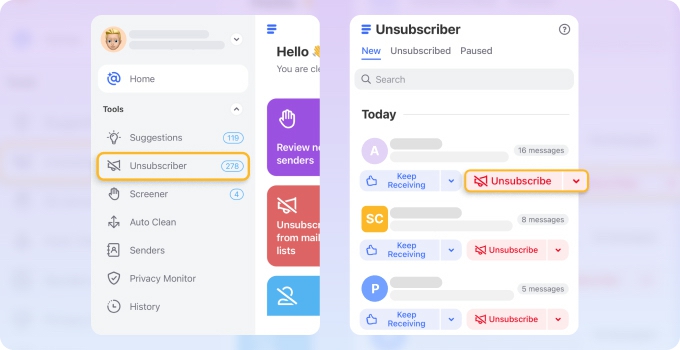
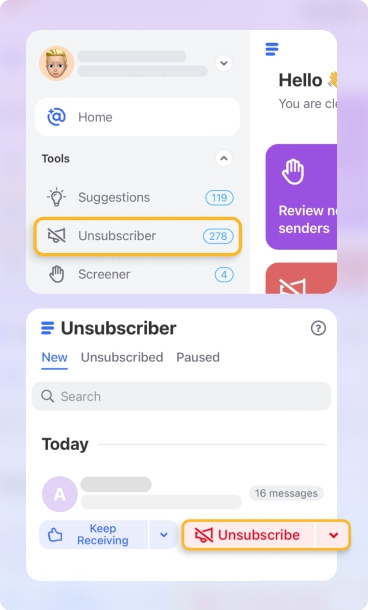
- Keep some subscriptions but auto-archive them
- Block senders that ignore unsubscribe requests
In my testing, unsubscribing from 40 newsletters took under five minutes. Native Mail.com tools couldn’t come close. → Try it for Free
Clean Email also makes it easy to reverse decisions by adjusting rules instead of hunting for old emails.
Pros and Cons of Unsubscribing on Mail.com
Pros:
✅ Works with legitimate unsubscribe links
✅ Simple for occasional use
Cons:
❌ No bulk unsubscribe
❌ No subscription overview
❌ Inefficient for large inboxes
Final Thoughts
Mail.com’s unsubscribe process works, but only at a very small scale. If your inbox has grown over years, bulk control is essential in 2026. Pairing Mail.com with Clean Email turns unsubscribing into a manageable, transparent process instead of a repetitive chore.












