How to Mass Unsubscribe From Emails With Clean Email
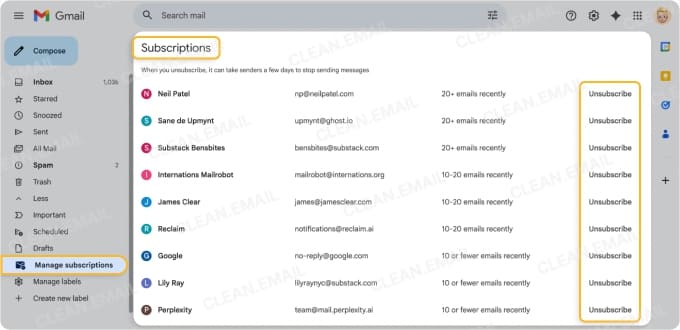
For an efficient and legitimate way to unsubscribe from multiple subscriptions at once, rather than one at a time, Clean Email provides the Unsubscriber tool.
The process is simple:
- Open Unsubscriber in Clean Email.
- Select all the subscriptions you don't want.
- Choose Unsubscribe and confirm.
For subscriptions you want to keep, use convenient features like moving to a dedicated section to read later or temporarily pausing for a quick cleaning.
Step 1: See All Subscriptions in One Place
With Clean Email, you can easily view a full list of your email subscriptions grouped by sender.
- Log into the web version or on your Android or iOS device.
- Choose Unsubscriber from the left-side menu.
Step 2: Unsubscribe One-by-One or in Bulk
To stop receiving a subscription, select the red Unsubscribe button next to the email.
Alternatively, pick Select and choose the subscriptions or use Select All. Pick the blue Unsubscribe button at the bottom to unsubscribe from all of the highlighted subscriptions at once.
Clean Email sends the opt-out requests for you, and if a sender ignores it, their future emails go to the Trash.
Step 3: Keep Receiving
To continue receiving a particular subscription, choose the blue Keep Receiving button.
Step 4: Pause Subscriptions
To temporarily pause a subscription, select the arrow to the right of the red Unsubscribe button and pick Pause.
Step 5: Move Emails to Read Later
Move subscriptions to a dedicated spot away from the inbox to read when you have more time.
Select the arrow to the right of the blue Keep Receiving button next to a subscription and in the menu of choices, click Deliver to Read Later.
Unsubscribe Using Your AI Assistant
Your AI assistant can work with email. With Clean Email, it can clean it.
Get help removing unwanted subscriptions using your favorite AI tool. Connect Clean Email to Claude or ChatGPT or Codex and take advantage of a powerful combo.
How it works: Tell the AI chat what you want, Clean Email finds your subscriptions, your AI assistant sums them up, and Clean Email unsubscribes you from the ones you approve.
- Unsubscribes continue to run after you close the AI chat, letting you continue with your workday.
- Senders that ignore the unsubscribe request get blocked, so their emails don’t reach your inbox.
- The connection works with Gmail, Outlook, Yahoo Mail, iCloud Mail, AOL, and any other email provider.


 4.5 stars based on



 Get Started


