


Label Deletion vs. Label Removal: What’s the Difference?
The best way to distinguish between the two is:
📌 You can Delete a label from Gmail altogether. This completely erases the label from your Gmail making it vanish from the menu, toolbar, Settings, and emails that use it. The emails themselves aren’t deleted: they stay in All Mail and under any other labels they have.
📌 To delete the emails as well, open the label first, check the box above the message list, click the link to select all conversations in the label if Gmail offers it, and click Delete. Then delete the empty label.
📌 You can Remove a label from an email in Gmail. This only removes the label from that specific message but allows you to reuse the label for other emails.

How to Delete Labels in Gmail on Desktop
You can delete Gmail labels (folders) on your desktop using two different methods, so you can pick whichever is easiest for you.
Delete a Label in the Menu
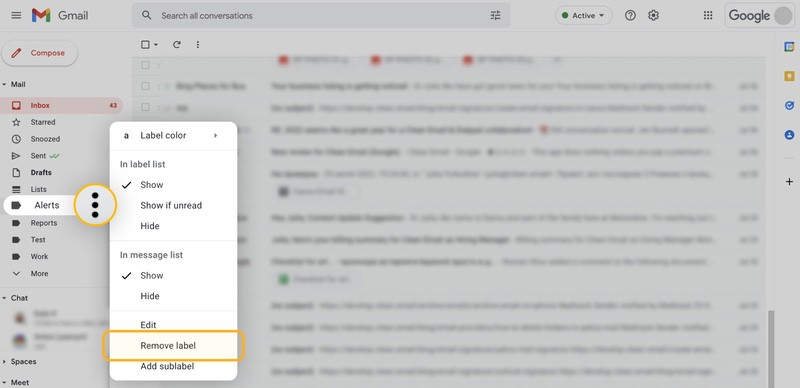
If you have your Inbox in view, it’s simple to delete a label (folder) using the menu.
- Use the hamburger icon (three lines) on the top left to open the menu if necessary.
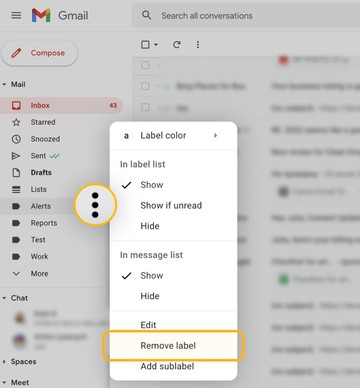
- Hover over the label to display the three dots.
- Click the three dots and choose Remove label.
- Confirm with Delete.
Delete a Label in the Settings
If you want to manage multiple labels, it can be easier to do so in the Settings.
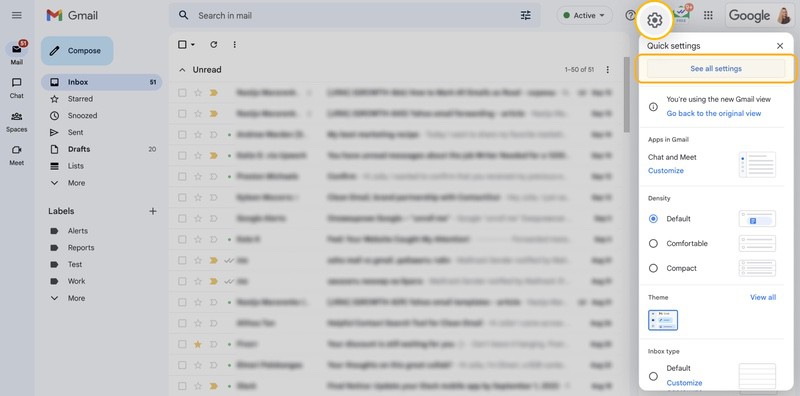
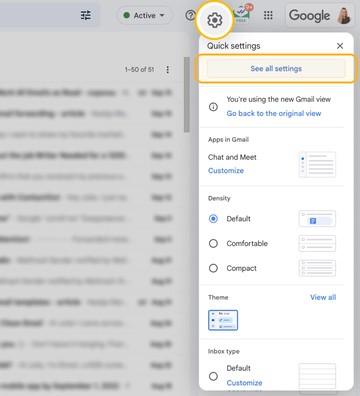
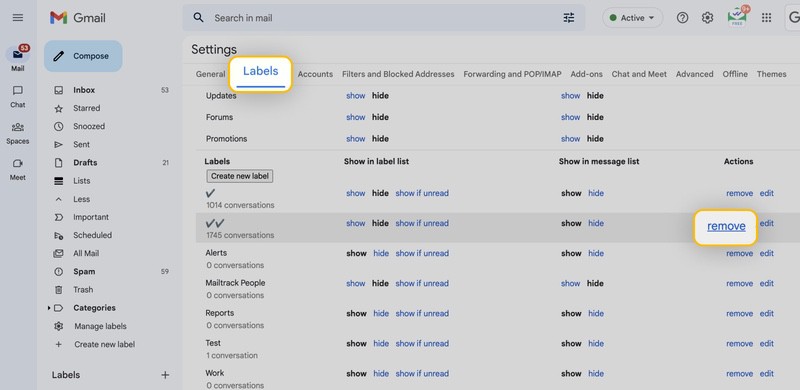
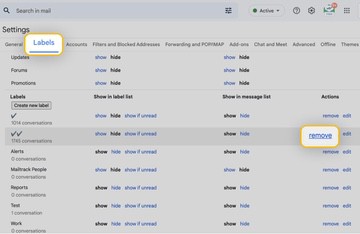
- Select Settings (gear icon) on the top right and pick See all settings or click Manage labels in the menu.
- Go to the Labels tab and move down to the Labels section.
- Locate the label and tap Remove to the right.
- Confirm with Delete.
How to Delete Labels in Gmail on Android
If you’re an Android user and have looked for how to get rid of a label in Gmail with no luck, there’s a reason: the Gmail app for Android only recently gained label management. If you have the latest version of the app, follow these steps:
- Open the Gmail app, tap the Menu icon at the top left, and tap Settings.
- Choose your account and tap Manage labels.
- Select the label you want to remove and tap Delete.
If you don’t see Manage labels, update the Gmail app. Until the option reaches your account, you can remove a Gmail label in your mobile web browser:
- Open a web browser on Android such as Google Chrome.
- Visit the Gmail website and sign in if necessary.
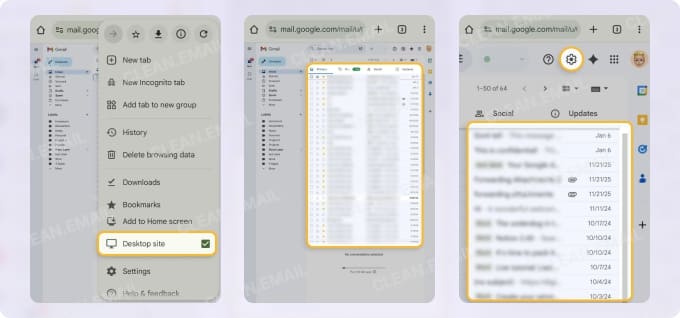
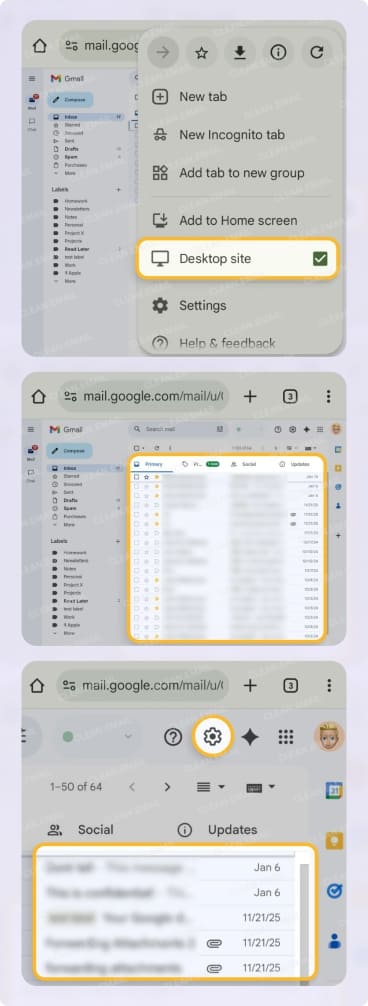
- Enable the desktop view of Gmail in your browser.
- Optionally, spread your fingers on the screen to enlarge your view.
- Tap Settings on the top right and select See all settings in the sidebar.
- Go to the Labels tab and scroll to the Labels section.
- Locate the label and tap Remove to the right.
- Confirm with Delete.
📌 Note: Because browsers vary, look for this in the Settings. E.g., in Chrome, tap the three dots at the top and mark Desktop site.
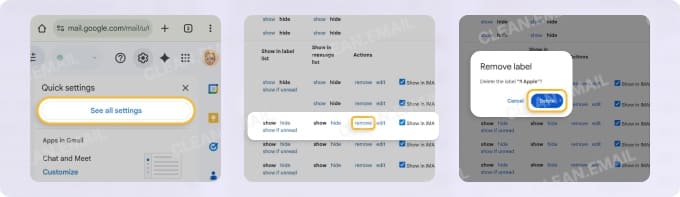
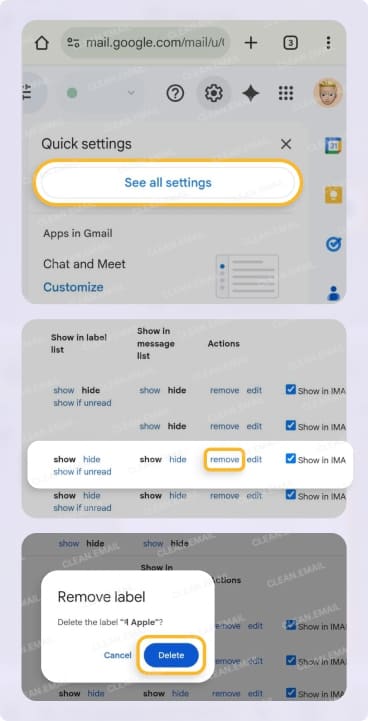
📌 Note that you can also use the menu to remove a label with above the instructions for desktop.
How to Delete Labels in Gmail on iPhone
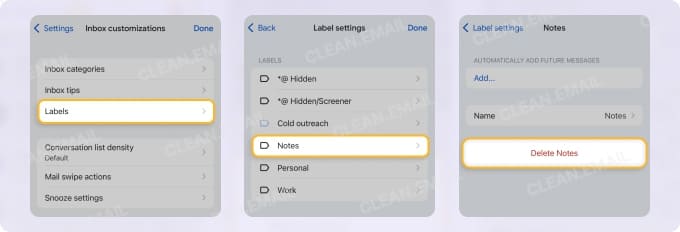
If you’re an iPhone or iPad user, you can delete a label in the Gmail mobile app. Launch the Gmail app and follow the steps below.
- Open the menu on the left and pick Settings.
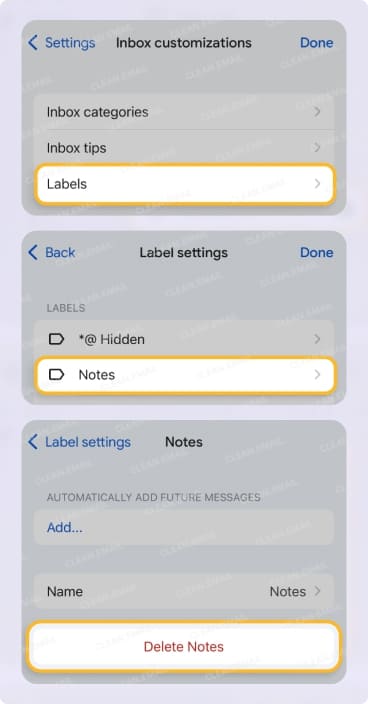
- Choose Inbox customizations in the Inbox section.
- Select Labels.
- Pick the label and tap Delete [label].
- Confirm with Delete.
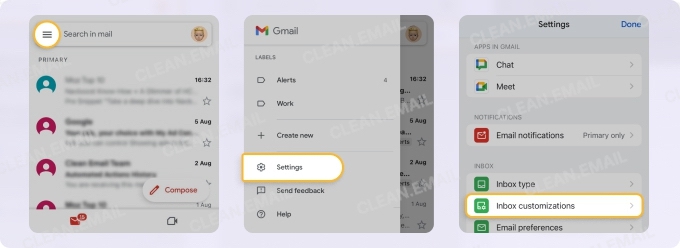
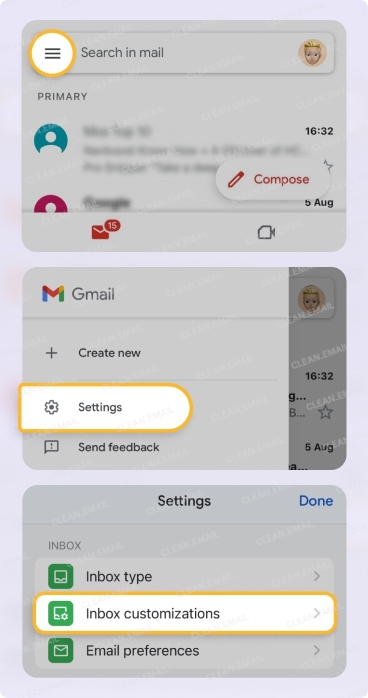
How to Remove Labels from Gmail Emails
Maybe it’s not the label itself that you want to delete but rather the label attached to an email in Gmail. This is certainly possible; however, there are a few things to keep in mind.
When removing a label from an email:
- If it’s the only custom label attached to the email and it also contains the Inbox label, you can see the message in your Inbox.
- If it’s the only custom label attached to the email and it doesn’t contain the Inbox label, you’ll find the message in All Mail.
- If there’s another label attached to the email, you can still view the message by that other label or in All Mail.
With the above in mind, here’s how to remove labels from a Gmail email using two methods.
Remove a Label Using the Email Options
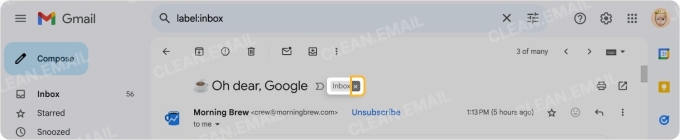
Open the email or display it in the reading pane and click the X on the label at the top of the message.
Remove a Label Using the Toolbar
- Open the email or select it in your message list.
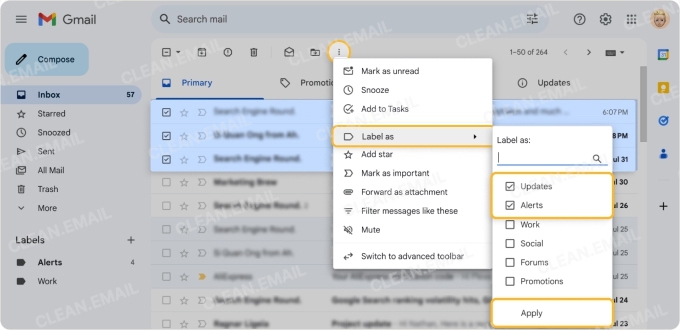
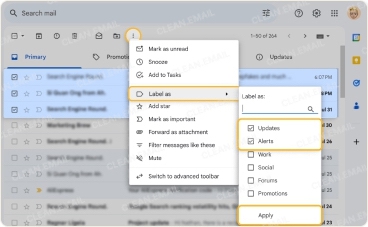
- Click the Label button, or three vertical dots → Label as in the top toolbar.
- Unmark the checkbox for the current label. Note you can optionally mark the checkbox for a different label here.
- Select Apply.
How Clean Email Can Help You Manage Gmail Labels
Although Gmail labels give you a terrific way to stay organized and productive, managing them on various devices can feel cumbersome. With apps like Clean Email, you can take advantage of tools for bulk label cleanup and smart organization that complement Gmail’s labels feature.
Using Clean Email for your Gmail labels, you can:
- Sync for full label control including creating, removing, and renaming.
- Apply or remove labels from groups of emails.
- Create and apply a label to an email in the same step.
To accompany label management, you can take advantage of Smart Folders which are premade folders created for you. With them, you can view related messages without the need for more and more labels. Manage messages such as Social Notifications, Online Shopping, Mail and Courier Services, Travel, and other categories
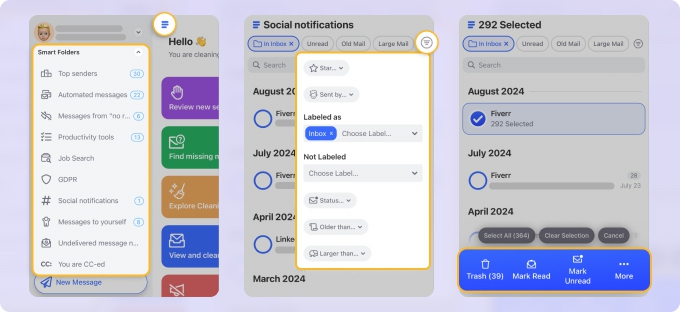
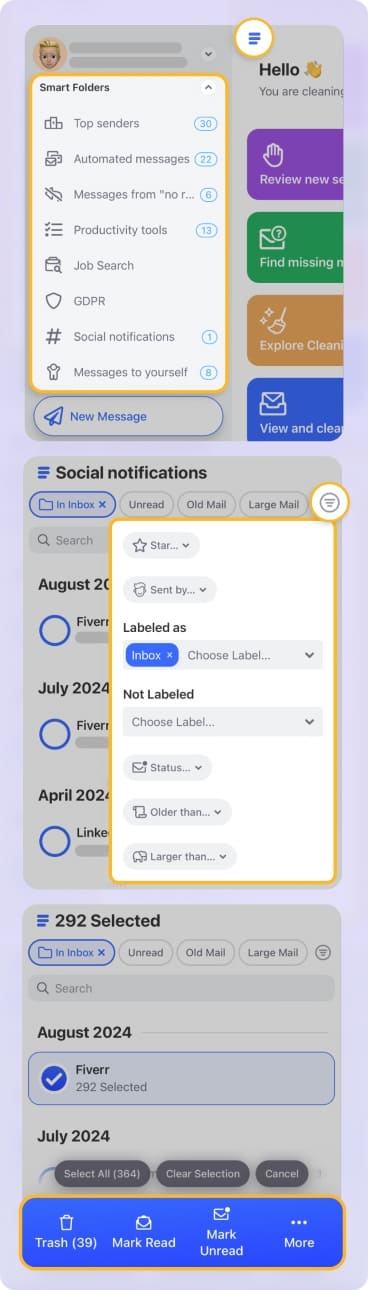
Clean Email works seamlessly across devices so you can use all the same features on the web, Mac desktop, and mobile (both Android and iOS) for any IMAP email provider.
Troubleshooting: Why Can’t I Delete a Label in Gmail?
If you’re having trouble deleting a label in Gmail, there are a few common reasons.
- You cannot delete system labels, including Inbox, Sent, Trash, Spam, and Starred. You can only delete labels that you create.
- If you’re using a third-party email client for your Gmail account, like Outlook, the label might be managed by that application, which can cause a deleted label to return.
- When using the Gmail web application, browser issues such as a corrupted cache or malicious extension can affect functionality on certain sites.
- If you use a third-party extension or script for Gmail label creation, this can affect your ability to properly delete it.
Conclusion
Deleting a label in Gmail takes a few taps on the web, Android, or iPhone, and it never deletes the emails inside it. While labels (folders) are useful tools for categorizing emails, remember that using too many can make your mailbox unwieldy or confusing.
With Clean Email's smart features and automations, you can minimize the number of labels you need and create time-saving rules to automatically label Gmail emails for you.












