Blur Left
Blur Right

Free AI Email Writer

Let AI write your emails for you — create professional messages in seconds with our free AI email assistant.

Generated email
Your AI-crafted email will be shown here.
Write an email to

AI-powered Email Generator
for Effortless Writing

Clean Email’s AI Email Writer quickly transforms your prompts into well-written, professional messages. This AI email tool understands context, adjusts tone, and helps you draft emails without overthinking. Whether you're writing from scratch or improving an existing draft, the tool ensures your email is clear, confident, and ready to send.

Whenever You Write – Clean and Organize

Writing a clear email is only half the job. After you send it, Clean Email helps you keep the rest of your inbox organized, uncluttered, and easy to manage. While the AI Email Writer assists with crafting your message, Clean Email takes care of everything around it — so your email routine stays clean from start to finish.

Cleaning Suggestions

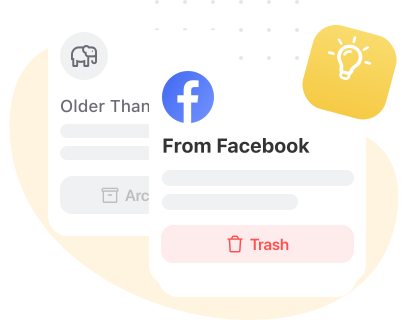
Clean Email uses intelligent, behavior-based suggestions to help you remove clutter fast. Like AI email tools, it learns your preferences and recommends actions to archive, delete, or block messages with a single click.

Suggestions
Smart folders

Smart Folders

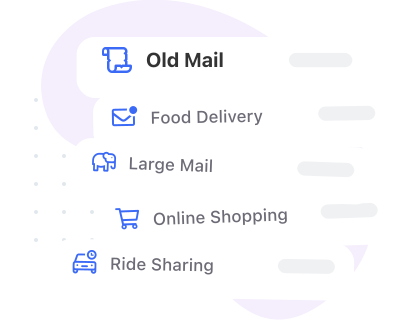
Smart Folders automatically group emails into clear categories using smart algorithms. Similar to AI sorting, Clean Email instantly organizes shopping, travel, social, subscriptions, and more — so you find what you need without searching.

More Features To Try

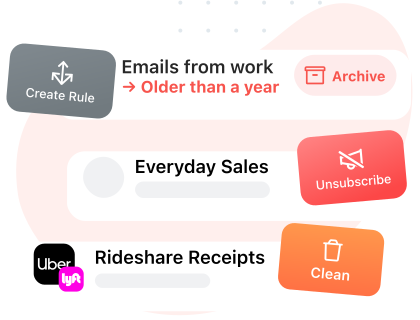
Use helpful tools like Unsubscriber, Auto Clean, bulk email management, and more. Unsubscribe from unwanted newsletters, set automated cleanup rules, and clear multiple unwanted messages quickly.

More Features To Try

How AI Email Writer Works

Watch a short demo showing how easily you can generate emails with this AI email tool and how Clean Email’s smart features can enhance your overall email experience.

Video Preview

Questions? We've Got Answers

What is an AI email writer?

An AI email writer is a tool that creates, rewrites, or improves emails based on what you tell it to do. It analyzes tone, context, and purpose to generate clear, professional messages without you having to write them all out.

How does this free AI email generator work?

You just enter a short description of what your email should say. The email generator uses clever language models to create a polished email draft including subject lines, openings, closings, and proper formatting.

Is the AI Email Writer really free to use?

Yes, it is - this is a free AI email writer that you can use online without signing up. You can generate all the email drafts you like, improve existing text, or rewrite messages as needed.

Does this AI email writer work with Clean Email?

The AI Email Writer is a standalone tool free to use. But if you want to sort out, clean, and automate your inbox, Clean Email has more features like Smart Folders, Cleaning Suggestions, Auto Clean & bulk actions.

Can the AI generate different types of emails?

Absolutely - you can create pro emails, business outreach, follow-ups, complaint messages, job applications, formal requests, personal notes, reminders, and more. The email writer AI adapts to your style and intent.

Can AI rewrite or fix my email?

Yes. The tool works as a free email rewriter. You can ask it to improve clarity, shorten text, expand ideas, correct mistakes, or rewrite the email in a different tone.

Does the AI help with email formatting and structure?

Yes - the generator creates a complete, properly formatted email including subject line, greeting, body, call-to-action, and sign-off. It basically functions as a full email composer and email formatting generator in one.

Is this AI email generator good for business & work emails?

Definitely - many users rely on it as a professional email generator for sales outreach, internal communication, client updates, HR messages, customer support replies, and more.

Is it safe to use AI for writing emails?

Yes. Your input is processed securely and not stored or reused. You can use the AI email assistant to draft or improve sensitive business communication safely.

Can the AI help me write faster?

Yes - that’s the point of this tool. Instead of spending a long time drafting an email, the AI email writer produces a clean version in seconds, which you can then personalize if needed.

How is this AI email writer tool different from ChatGPT email writers?

Unlike generic AI tools, this email generator is designed specifically with email writing in mind. It prioritizes getting the message across clearly, in a tone that feels natural - whether that's formal, friendly, urgent, or something in between. And the best part is you can get a ready-to-send email draft without having to add extra prompts or formatting steps.

Does the AI understand tone (friendly, formal, urgent, etc.)?

Yes. You can specify any tone — professional, friendly, casual, persuasive, diplomatic, concise — and the AI email writing assistant adjusts the style automatically.

Is this tool good for users whose first language isn’t English?

Definitely. The AI helps with grammar, tone, and natural phrasing so you can put together clear, confident messages - even when you're not 100% fluent.

Can I use it for email marketing?

It’s not a full marketing platform but the tool is super handy for generating marketing-style messages, getting the intro right for a newsletter, or drafting up promotional emails. Just use it to quickly generate draft text before moving it in your email service.

Try Clean Email for Free
*****4.5based on 3,300 user reviews
Get Started
InboxClean Your Mailbox

Use tools like Cleaning Suggestions and Smart Folders to help you quickly clean out an overloaded inbox

Mute unwanted emailsUnsubscribe

Keep unwanted emails out of your inbox by unsubscribing—even from email lists that don’t have an unsubscribe link

Clean your emailsKeep it Clean

Automate repetitive tasks with Auto Clean rules to archive emails as they become old or to sort them into folders

Background
Use filters to find emails you want to clean.Arrow
Screener FeatureArrow
UnsubscribeArrow
Auto CleanArrow
Sender SettingsArrow









