


Key Takeaways
- Yahoo Mail allows you to unsubscribe from emails individually using built-in Unsubscribe options on web and mobile.
- The Subscriptions view exists only in the old Yahoo Mail and does not always show all subscriptions.
- In the new interface, subscription emails are spread across tabs like Offers and Newsletters.
- Yahoo Mail does not support bulk unsubscribe, so emails must be handled one by one.
- For mass unsubscribe, third-party tools like Clean Email provide more efficient bulk management options.
- If unsubscribing doesn’t work or the email looks suspicious, mark it as Spam instead.
Looking for a quick way to manage subscriptions?
Want to unsubscribe from a single email? 👉 Jump to Unsubscribe From Emails on Yahoo Web.
Need to clean up multiple subscriptions faster? 👉 Go to Mass Unsubscribe From Emails on Yahoo.
Using your phone? 👉 See Unsubscribe From Emails in the Yahoo Mobile App.
GOODBYE TO INBOX CLUTTER
Unsubscribe from unwanted emails instantly with one click.
Get started for FreeUnsubscribe From Emails on Yahoo Web
Like other popular email service providers, Yahoo Mail offers an Unsubscribe feature. With it, you can remove yourself from mailing lists and declutter your Yahoo inbox.
To use the Yahoo unsubscribe tool for individual emails, visit Yahoo Mail on the web, sign in, and do one of the following:
- Right-click the email in your message list and choose Unsubscribe.
- Select the email in your message list, click More (three dots) at the top, and pick Unsubscribe.
- Open the email and choose Unsubscribe at the top.
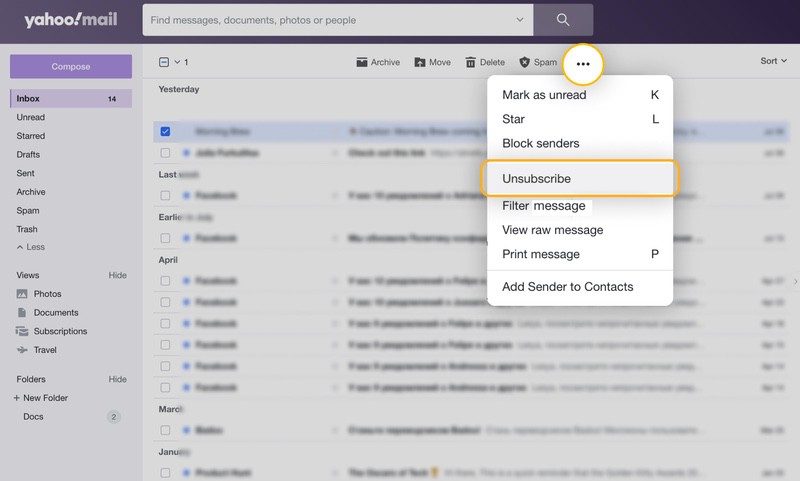
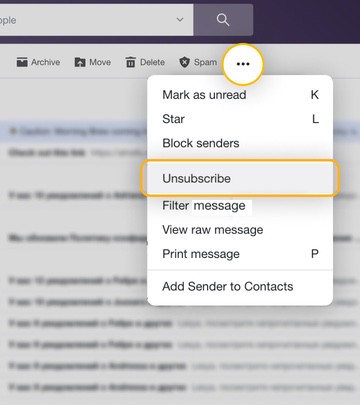
- Confirm in the pop-up window.
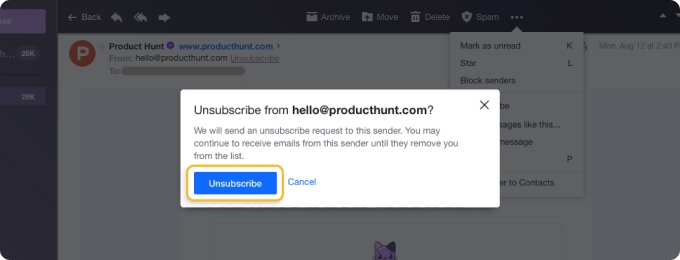
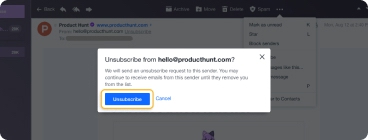
Using the above automatically submits a removal request to the sender. Keep in mind that that process can take a few days and there’s no guarantee that the sender will remove you from their mailing list.
💡 Tip: Learn more about how and if unsubscribing from emails really works.
Another way to unsubscribe on Yahoo is to use the Subscriptions folder in your account.
Note that the folder is available only in the Old Yahoo Mail version, and may not show all of your subscriptions. So, while it’s an option, it may not be the most reliable one.
- Display the left-hand menu and select Show next to Views if the folders are hidden.
- Choose Subscriptions.
- Pick Unsubscribe for the email.
- Confirm in the pop-up window.
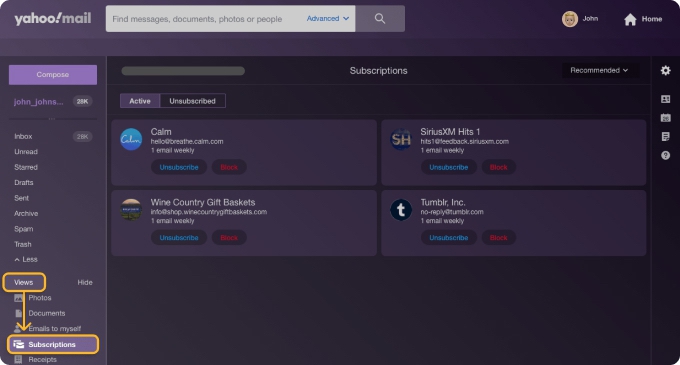
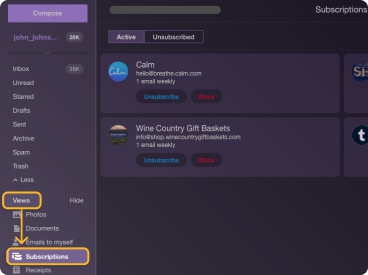
You’ll then see those subscriptions move to the Unsubscribed tab at the top of the Subscriptions folder.
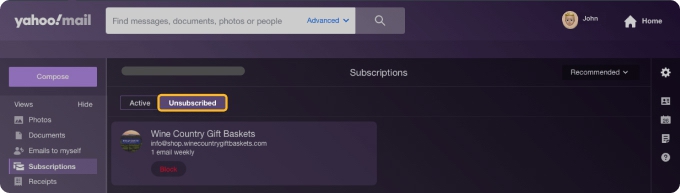
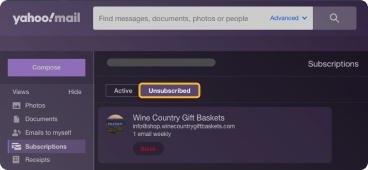
Note: If you unsubscribe from an email in your inbox using the first set of steps above, you will not see it in the Unsubscribed section of the Subscriptions. That area is apparently reserved for unsubscribed subscriptions already in that folder.
💡 Tip: If you accidentally hit "Unsubscribe" on a newsletter you still want to receive, check our guide on how to resubscribe after clicking unsubscribe.
Mass Unsubscribe From Emails on Yahoo
Now that we’ve explained how to manage individual messages, you’re naturally wondering how to mass unsubscribe on Yahoo, right? Unfortunately, you can’t currently unsubscribe from emails on Yahoo in bulk. That’s right, you must take care of them one at a time.
Instead, you can use the Clean Email app and its Unsubscriber feature. With it, you can remove yourself from several mailing lists in bulk, saving you a ton of time.
Visit Clean Email on the web, sign in, and follow these steps:
- Open Unsubscriber in the left-hand menu.
- Choose Select at the top.
- Mark each subscription or pick Select All at the top.
- Select Unsubscribe in the action bar at the bottom.
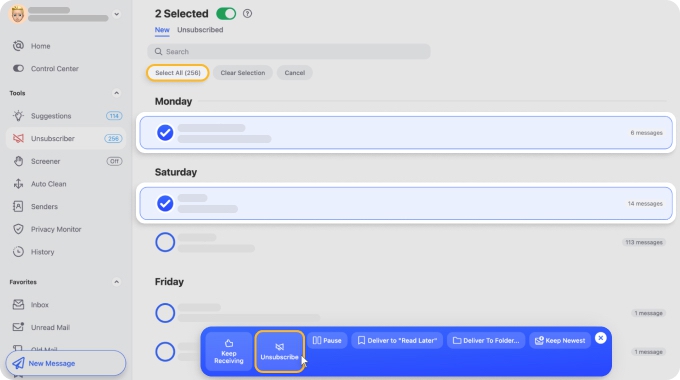
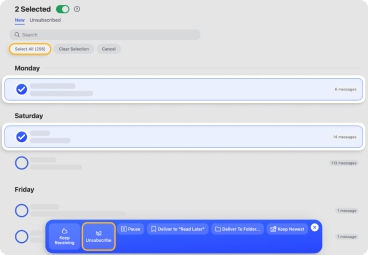
You’ll then see those subscriptions move to the Unsubscribed tab at the top of Unsubscriber.
💡 The Clean Email mobile app for Android and iOS works the same way as the web version, so you can manage and unsubscribe from multiple newsletters as once using identical steps on your phone.
Read on to see additional ways that this productivity feature can help you best manage your subscriptions.
Manage Subscriptions Efficiently With Clean Email
Do you have subscriptions that you don’t necessarily want to stop receiving, but simply move out of the way? Or, maybe you just wish you could temporarily pause emails or handle social media and promotional subscriptions?
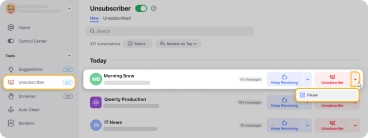
The Unsubscriber feature in Clean Email gives you these terrific options:
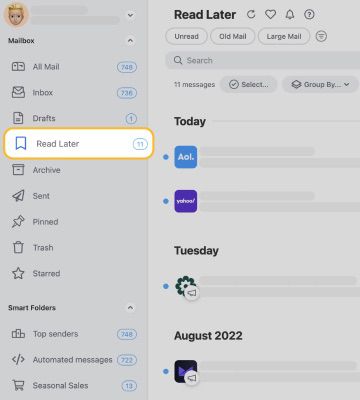
- Redirect subscriptions away from your inbox. Select Read Later next to a subscription message to keep receiving the emails but redirect them to the Read Later folder.
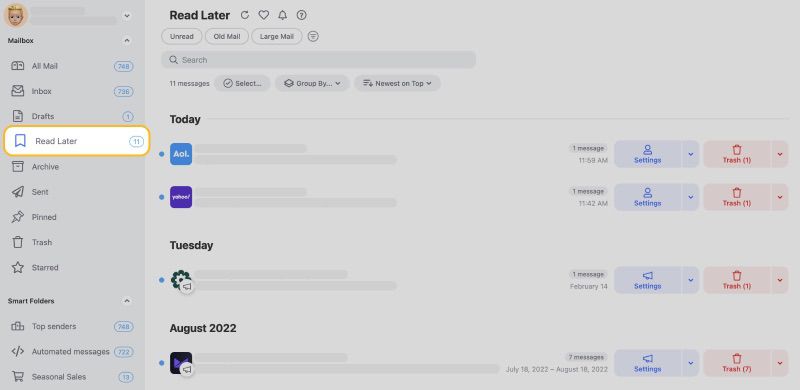
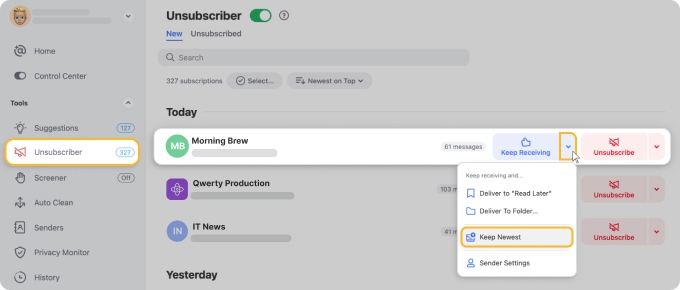
- Out with the old, in with the new! If you receive several subscription messages from the same sender frequently, do you really need all of their previous emails? Choose Keep Newest next to a subscription message to retain the most recent email and delete the rest.
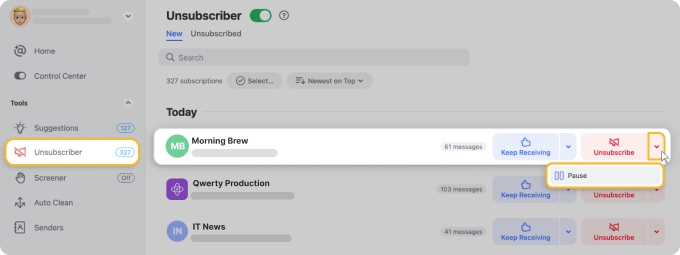
- Temporarily stop subscriptions. Select Pause next to a subscription to temporarily stop it and send the messages to the trash. Once you catch up or clean up, simply unblock the emails using the Paused section of Unsubscriber.
Unsubscribe From Emails in the Yahoo Mobile App
If you like to manage emails on the go, you can use the unsubscribe tool in the Yahoo Mail mobile app. The options are similar to those in Yahoo on the web.
Open the Yahoo Mail app and do one of the following:
- Long-press the email in your message list and choose Unsubscribe.
- Open the email and tap the Unsubscribe button at the bottom.
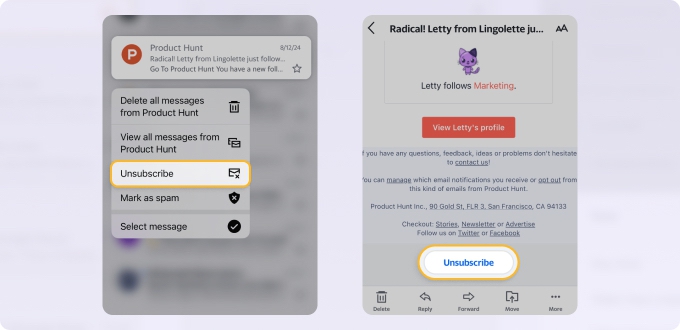
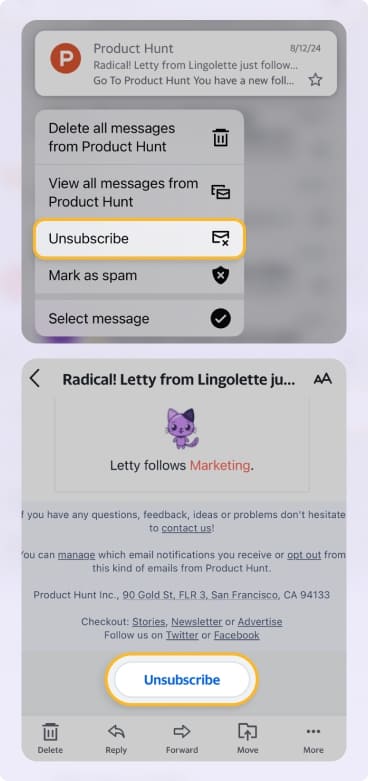
Unlike Yahoo Mail on the web, you won’t be asked to confirm when you unsubscribe using your inbox in the mobile app.
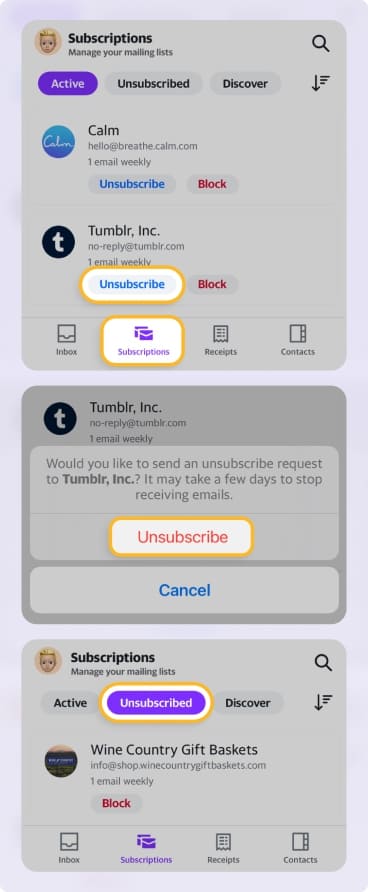
Additionally, you can use the Yahoo Mail Subscriptions list to view and manage certain subscriptions:
- Select Subscriptions at the bottom.
- Tap Unsubscribe for a message.
- Confirm at the bottom.
You’ll then see those subscriptions move to the Unsubscribed tab. Again, those you unsubscribe from in your inbox do not display in this area.
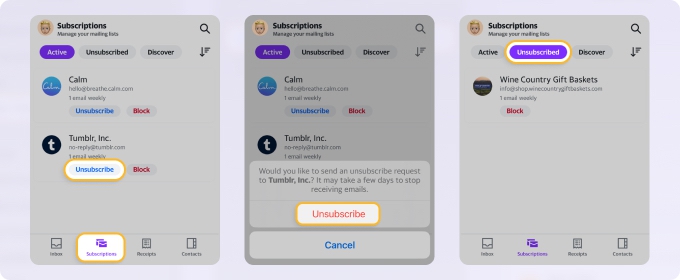
Note that you can’t unsubscribe from all emails on Yahoo Mail or even more than one at a time using the mobile app either.
Unsubscribing From Spam Emails on Yahoo
You may see an email in Yahoo Mail that appears to be a subscription, but Yahoo doesn’t give you an unsubscribe option. Additionally, Yahoo’s spam filter didn’t catch that email and send it to the Spam folder.
In this case, you might be tempted to look for and use an Unsubscribe link in the actual email itself. However, this can often have adverse effects. For instance, if the message is potentially malicious, clicking that link can alert the sender that you have an active email account which can result in even more junk emails from the sender.
Instead, mark messages like this as Spam in Yahoo Mail one of these ways:
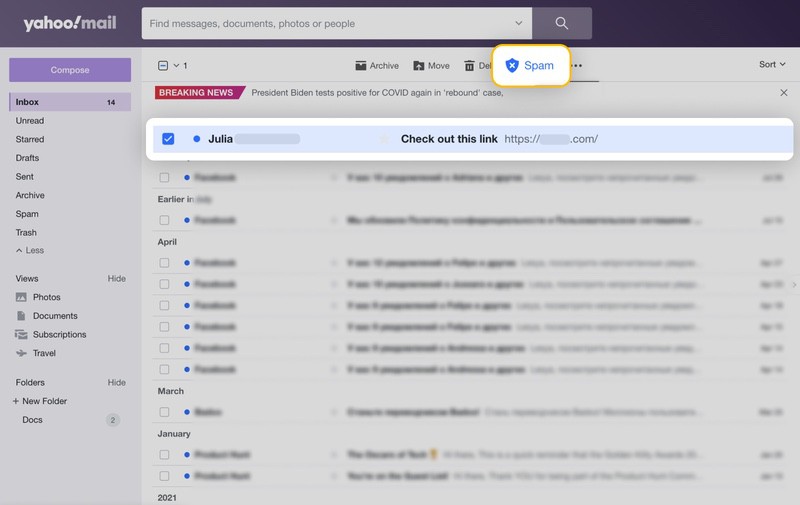
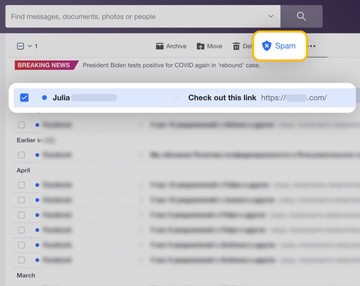
- On the web, select one or more emails in your inbox and click the Spam button at the top. You can also use the Spam button at the top of a particular message when you open it.
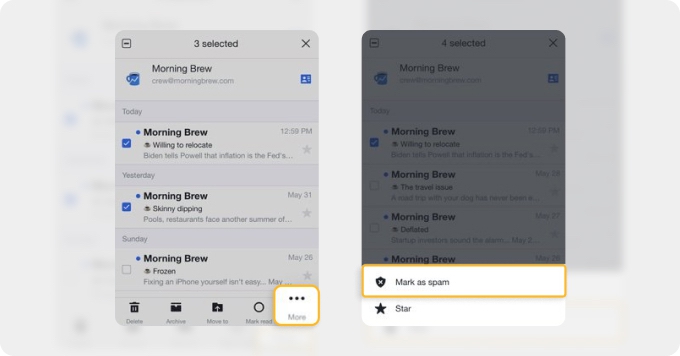
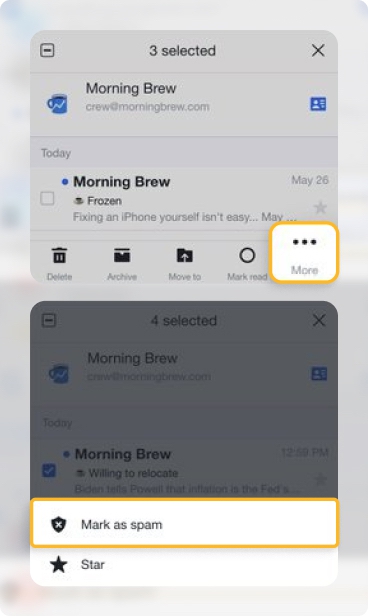
- On mobile, long-press an email in your list and choose Mark as spam or open the email, pick More at the bottom, and select Mark as spam.
In some instances, you may mark an email as spam and see a message from Yahoo that you can unsubscribe instead. This can happen if the email is from a sender that Yahoo trusts:
If you don’t recognize the sender, know you haven’t subscribed, and no longer want these unsolicited messages, you can pick Report as spam so that the emails are immediately moved to the Spam folder.
As Yahoo states, marking messages as spam helps the system recognize junk emails which should help eliminate future messages.
Yahoo recently added AI-powered inbox features, including smarter categorization and better spam detection. Still, many users report junk emails sneaking in.
FAQs
Why do I have to unsubscribe when I never subscribed?
If someone else uses your email address to sign up for subscriptions or you’re a victim of subscription bombing, ridding your mailbox of unwanted messages can seem daunting. However, with unsubscribe, spam, and sender blocking features, you can regain control.
How to unsubscribe from spam emails in Yahoo Mail?
In Yahoo Mail on the web, select one or more emails and click the Spam button at the top. On mobile, long-press an email in your list and tap Mark as spam.
How to unsubscribe from Yahoo emails fast?
You can unsubscribe in Yahoo Mail by hovering over any promotional/newsletter email (in All, Offers, or Newsletters inbox tabs) and clicking the inline Unsubscribe button that appears.
How to see what emails I’m subscribed to?
You can check the Subscriptions view (available in the old Yahoo Mail), but it may not include all your subscriptions. In the new version, review tabs like Offers and Newsletters and look for emails with an Unsubscribe option.
How to undo unsubscribe in Yahoo Mail?
If you use the Yahoo Mail mobile app, you’ll see a brief Undo option when you Unsubscribe.
Why does unsubscribe never work?
Regardless of your email provider or how their Unsubscribe feature works, removing you from the mailing list ultimately falls in the hands of the sender. Should that sender ignore the removal request and continue emailing you, consider marking those messages as spam or blocking the sender.












